The biggest misunderstanding about “using AI for productivity” is thinking it starts with a tool. It doesn’t. It starts with a loop. If your day is a stream of messages, meetings, tasks, and half-finished thoughts, AI only helps when it’s placed into the same repeatable cycle—so you get consistent outputs instead of random bursts of help.
This article walks you through a simple, durable AI workflow you can run every day: capture → triage → execute → review. It’s deliberately lightweight. No complicated automations required, no new app stack, and no pretending AI will “manage your life.” You’ll end up with a small set of prompts and rules that save time without creating new chaos.
The workflow you actually need (and why most setups fail)
Most AI productivity attempts fail for one of three reasons:
- AI is used as a search engine (ad-hoc questions) instead of a process step with a consistent input and expected output.
- Too many tools, too early—people build a “system” before they’ve proven a single daily habit.
- Unclear success criteria—if you can’t tell whether it saved you 10 minutes or cost you 30, you’ll abandon it.
A simple workflow fixes this by defining what AI is for at each stage. Think of AI as a reliable assistant for language-heavy work (sorting, summarizing, drafting, structuring), not as the owner of your decisions.
Pick your “minimal stack” (2–3 tools, not 8)
You can build the workflow with almost any modern AI assistant. The key is to keep your stack small enough that you’ll actually use it on a busy day.
A sensible minimal setup
- One AI assistant you trust for drafting, summarizing, and planning (web or desktop).
- One capture tool: notes app, task manager, or even a single “inbox” document.
- One calendar you already use (Google Calendar, Outlook, etc.).
If you’re tempted to add automation platforms, integrations, or multiple bots: pause. You can add those later, once you’ve validated the loop for a week.
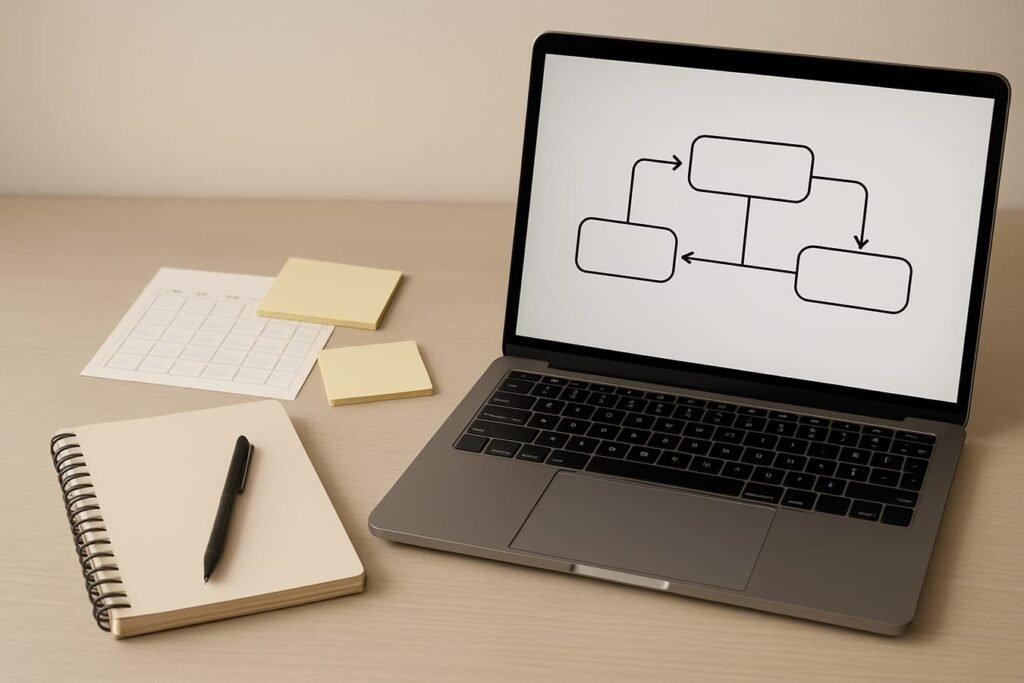
The four-stage AI loop (capture → triage → execute → review)
Here’s the structure that makes AI consistently useful. The goal is to reduce mental juggling: fewer open loops in your head, cleaner next actions, and faster first drafts.
| Stage | What goes in | What AI does | What comes out | Time box |
|---|---|---|---|---|
| Capture | Loose tasks, ideas, links, meeting notes | Optional: clean up raw notes into bullets | One place with everything you might need to handle | 2–5 min, multiple times/day |
| Triage | Your “inbox” list + calendar constraints | Prioritize, group, clarify next actions, draft schedule | A short daily plan and a short “later” list | 8–12 min, once/day |
| Execute | One task at a time + context | Draft emails, outline docs, summarize sources, generate checklists | First drafts and clear next steps | 30–90 min focus blocks |
| Review | What happened today + what slipped | Extract lessons, update priorities, prep tomorrow | Clean closure and a lighter start tomorrow | 5–8 min, end-of-day |
Stage 1: Capture without friction (and without perfection)
The capture stage is intentionally boring. Its job is to stop tasks from living in your head. Use a single dumping ground—one note titled “Inbox,” one task list, or one running document.
What to capture
- Actionable requests from email or chat (“send deck,” “confirm date,” “review draft”).
- Meeting outcomes (“follow up with vendor,” “decide pricing by Friday”).
- Ideas you don’t want to lose (even if they’re half-formed).
- Reading links you might cite later (articles, docs, tickets).
You can use AI here, but you don’t have to. If your raw notes are messy, AI can quickly turn them into bullet points. Just don’t get stuck polishing capture notes—capture is about speed.
Stage 2: Triage into a realistic daily plan
Triage is where AI shines because it’s language and decision heavy: sorting, clarifying, naming the next action, and spotting dependencies. The key is to give AI constraints (time, deadlines, energy) and rules (what matters most).
A practical triage prompt you can reuse
Paste your inbox list and add a little context. Then ask for a plan that respects your calendar and attention span.
- Inputs: inbox items, hard deadlines, 1–2 priorities, available work blocks.
- Output: top 3 outcomes for the day, next actions, and what to defer.
Editorial callout: Keep the daily plan small. If AI gives you a 14-item schedule, it’s not “productive”—it’s fantasy. A good plan is one you’ll follow at 4:30 p.m. when your brain is tired.
What “good triage” looks like
- Top 3 outcomes (finishable today, not vague aspirations).
- Next actions phrased as verbs (“draft,” “reply,” “outline,” “book,” “review”).
- Time estimates as ranges (15–25 minutes beats “quick”).
- Defer list that you won’t feel guilty about—because you chose it intentionally.
Stage 3: Execute with AI as a drafting partner (not an autopilot)
This is where you get the time savings. Execution is easier when you stop asking AI for “the final answer” and start asking for useful intermediate artifacts: an outline, an email draft with options, a meeting agenda, a decision memo skeleton.
Three high-leverage execution patterns
- Email and message drafting: Ask for 2–3 versions (direct, warm, and firm). You choose the tone and edit for accuracy.
- Meeting notes → action items: Paste rough notes; ask for decisions, owners, due dates, and risks in a clean list.
- Reading and research: Paste key excerpts; ask for a summary, key claims, assumptions, and what to verify.
Example: turning messy meeting notes into action
When you paste notes, include the meeting goal and who was present. Then request a structured output:
- Decisions made
- Open questions
- Action items (owner + due date)
- Risks / dependencies
This format reduces the “What did we decide?” follow-up thread that drains time later.
Stage 4: Review so tomorrow starts clean
Skipping review is how you end up with a productivity system that looks great on Monday and collapses by Thursday. The review doesn’t need to be reflective journaling. It needs to be operational: close loops, update priorities, and set up an easy start.
A simple end-of-day review template
- Done: list what you finished (this is data, not self-congratulation).
- Not done: what slipped, and why (too big, unclear, interrupted, underestimated).
- Fix: one adjustment for tomorrow (smaller scope, earlier start, different sequence).
- Prep: write the first task you’ll start with tomorrow in one sentence.
If you use AI here, ask it to compress your day into a few bullets and propose a better plan for tomorrow based on what actually happened.
Boundaries that keep the workflow safe and trustworthy
AI productivity is full of tiny foot-guns: privacy mistakes, hallucinated details, and overconfident drafts. Put guardrails in place once, and your workflow becomes much less stressful.
Privacy and data handling rules
- Don’t paste sensitive data (passwords, financial account numbers, medical details, private HR issues, confidential client info) unless your organization explicitly permits it and the tool is approved.
- Summarize instead of sharing: replace identifiers with placeholders (“Client A,” “Project X”).
- Assume drafts need review: treat AI output as a first draft that can contain errors or missing nuance.
Accuracy rules (especially for research)
- Ask for uncertainty: have the assistant list what it’s unsure about and what should be verified.
- Prefer source-based work: paste the text you want summarized or analyzed, rather than relying on memory.
- Don’t outsource judgment: AI can structure options, but you own the decision.
A 7-day rollout plan (so this becomes a habit)
Trying to rebuild your entire productivity system in one weekend is a reliable way to quit by Wednesday. Instead, roll the workflow out in small steps.
Day-by-day adoption
- Days 1–2: Use AI only for triage (daily plan + top 3).
- Days 3–4: Add one execution use case (email drafts or meeting notes → action items).
- Days 5–6: Add end-of-day review with a short “tomorrow start” line.
- Day 7: Do a weekly review: keep what saved time, remove what added friction.
Measure the right things
- Time-to-first-draft: did a scary blank page become a usable outline in 5 minutes?
- Open loops: fewer “I’ll remember that later” moments.
- Follow-up reduction: clearer action items mean fewer clarification messages.
Common pitfalls (and how to avoid them)
Pitfall 1: Over-automating before you’ve stabilized the loop
If you can’t do capture and triage consistently, automation won’t fix it—it will amplify the mess. Start manual, then automate only the step you repeat without thinking.
Pitfall 2: Prompts that are too vague to be useful
“Make me a plan” usually produces a generic schedule. Better prompts include constraints: available hours, meeting times, deadlines, and what “success” means today.
Pitfall 3: Context sprawl
Pasting everything—threads, docs, notes—makes the assistant slower and the output fuzzier. Give just enough context to act. When in doubt, provide a short summary plus the one or two key source snippets.
Keep your workflow current without chasing every new tool
AI tools evolve quickly, and it’s easy to get distracted by shiny features that don’t change your day-to-day output. If you want a lightweight way to stay informed, browse the Future of AI category occasionally—then decide whether a change improves one of your four stages.
Practical checklist: your simple daily AI workflow
- One capture inbox: a single place for tasks, ideas, and notes.
- Daily triage time: 8–12 minutes, same time each day if possible.
- Top 3 outcomes: written clearly, sized to finish.
- Two focus blocks: protect at least 2 blocks of 30–90 minutes for execution.
- AI drafting rules: request options, edit for accuracy, keep your voice.
- End-of-day review: done / not done / fix / prep tomorrow.
- Privacy guardrails: no sensitive data; use placeholders.
FAQ
Do I need an “AI agent” to do this workflow?
No. A basic AI assistant is enough for a simple workflow. Agents and automations can help later, but the real win comes from consistent inputs (your inbox list) and consistent outputs (a plan, drafts, summaries, action items).
What’s the best time of day to run the triage step?
Morning works for many people because it sets direction before messages take over. If mornings are meeting-heavy, do triage right after your first meeting block. The best time is the one you can repeat most days.
How do I stop AI from producing generic advice?
Give constraints and preference rules: deadlines, available time, priorities, and your standards (tone, length, must-include points). Ask for outputs in a strict format (top 3 outcomes, then next actions, then defer list).
Is it safe to paste emails and work documents into an AI tool?
It depends on your organization’s policies and the specific tool’s data handling. When you’re unsure, don’t paste confidential content. Summarize key points, anonymize names, and keep sensitive details out of prompts.
What’s one workflow change that usually delivers the fastest payoff?
Using AI to turn messy inputs into clean next actions: inbox triage and meeting notes → action items. Those two reduce follow-up, decision fatigue, and the time it takes to get moving.
How long should I test this before changing tools?
Give it a week. If the loop is working, you’ll feel it in fewer dropped tasks and faster first drafts. If it’s not working, the fix is usually better constraints and a simpler capture method—not a new tool.