A prompt that works once is helpful. A prompt that works every time you swap in a new topic, audience, or dataset is a template—and it saves hours. The difference usually isn’t “better wording.” It’s structure: clear inputs, explicit constraints, and an output format the model can’t easily ignore.
This guide shows how to create reusable prompt templates for almost any task (writing, planning, analysis, customer support, learning). It’s organized around common mistakes—because most “template problems” are really design oversights that only show up on the third or fourth reuse.
What makes a prompt reusable (and what breaks reuse)
A reusable prompt template is a repeatable set of instructions with swap-in variables (placeholders), stable requirements (format, tone, constraints), and quality checks (how you’ll judge the output).
What breaks reuse is predictably mundane: missing context, ambiguous goals, and outputs that aren’t anchored to a consistent structure.
Mistakes that ruin prompt templates (and the better alternative)
| Mistake | Why it matters | Better approach |
|---|---|---|
| Vague goal (“Write a summary”) | The model guesses what “summary” means: length, focus, and audience drift. | Define purpose + audience + length (e.g., “150 words for execs, highlight risks and next steps”). |
| No inputs section | You re-explain the same context every time; missing details cause inconsistent outputs. | Create a standard Inputs block with placeholders (topic, source text, audience, constraints). |
| Too much “role-play,” too little instruction | Role helps tone, but doesn’t guarantee the structure or coverage you need. | Use role briefly; spend words on requirements, sections, and acceptance criteria. |
| Hidden assumptions | The model fills gaps with plausible but wrong details—especially with unfamiliar domains. | State assumptions explicitly; ask it to list missing info and proceed with placeholders. |
| Unspecified output format | You get a different layout every run, making it hard to compare or paste into tools. | Lock the format: headings, bullets, fields, or a table; specify order. |
| Overstuffing the template | A “do everything” template becomes brittle and slow to edit. | Split by job-to-be-done: one template per output type, plus optional add-on modules. |
| No quality check step | Errors repeat silently. You only notice after sharing or publishing. | Add a self-review checklist: completeness, constraints met, and unclear claims flagged. |
The reusable prompt template anatomy (steal this structure)
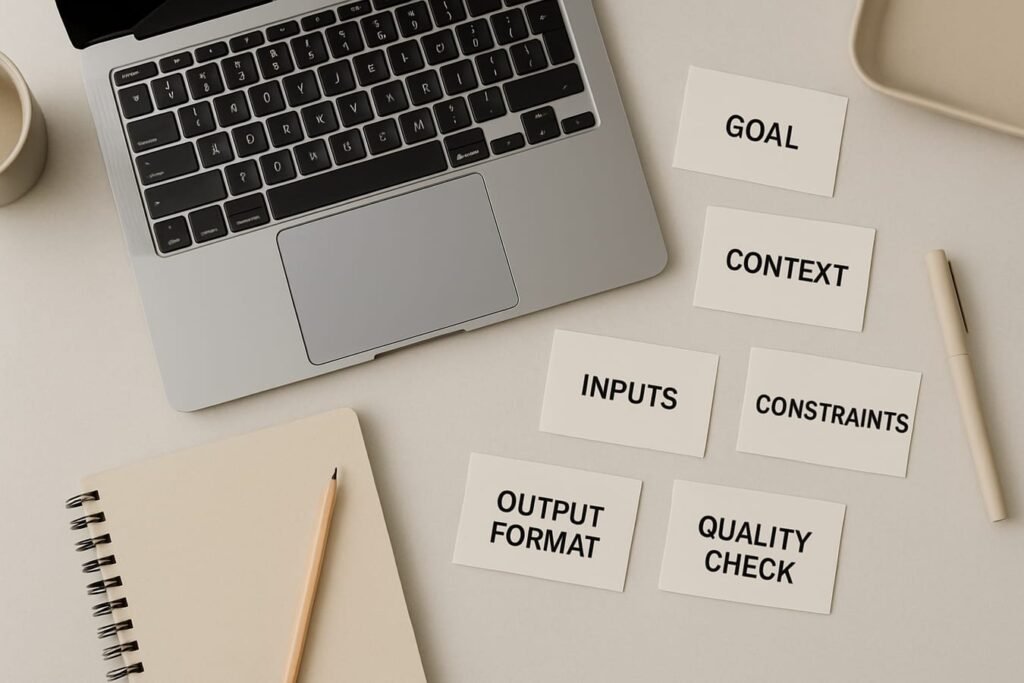
Most strong templates can be built from seven parts. You won’t always need all seven, but having a default makes template-building fast and consistent.
1) Outcome: what “good” looks like
Write a single sentence that includes the deliverable, audience, and purpose. Example: “Produce a 1-page meeting recap for stakeholders who didn’t attend, with decisions, risks, and owners.”
2) Context: what the model should know
Context is where reusable prompts often fail. The fix: include only stable context in the template, and put changing context into variables.
- Stable context: brand voice, general constraints, your standard definitions.
- Variable context: product name, campaign details, source text, customer situation.
3) Inputs: the placeholders you swap every time
Use clearly labeled placeholders so you (or teammates) can fill them quickly. Keep them consistent across templates—this is what makes a library usable.
- {TASK} (what you want done)
- {AUDIENCE}
- {SOURCE} (notes, transcript, article, data snippet)
- {TONE} (calm, direct, friendly, formal)
- {LENGTH} (word count, bullet count, or time-to-read)
- {CONSTRAINTS} (must include / must avoid)
4) Constraints and boundaries (the “don’t make this worse” section)
Reusable prompts benefit from a short boundary block. It prevents the model from sounding confident about uncertain facts, and it reduces legal/brand risk.
- State what it must not invent (numbers, quotes, product specs, citations).
- Tell it to flag uncertainty and ask for missing info.
- Set exclusions (no medical/legal advice; no confidential data; no personal data).
5) Output format: lock the layout
Format is the single biggest lever for consistency. If you want reuse, specify structure like:
- Required headings (in order)
- Bullet style (short/long)
- Fields (e.g., “Subject line,” “Preview text,” “CTA”)
- Tables with named columns (when comparison matters)
6) Examples (optional, but powerful)
If your outputs have a “house style,” include a short example. Keep it brief so the template stays portable. One well-chosen example often beats a page of rules.
7) Quality checks: make the model verify itself
Add a short self-check list: “Confirm you included X, avoided Y, and matched Z format.” It’s not perfect, but it catches common misses—especially when you’re reusing a template at speed.
Reusable template formulas you can copy (and adapt)
Below are ready-to-use templates written in plain language. Replace the placeholders in braces and keep the rest stable. If you want more variations and use-cases, browse the AI prompt templates category.
Template 1: Clean summary from messy notes (meetings, calls, lectures)
Outcome: Create a {LENGTH} recap for {AUDIENCE} that they can act on.
Inputs: {SOURCE} (raw notes/transcript), {CONTEXT} (project/product background), {TONE}.
Instructions:
- Extract decisions, open questions, risks, and next actions.
- Do not invent numbers, dates, or quotes. If unclear, write “Unconfirmed” and list what’s missing.
- Keep language concise and concrete; avoid filler.
Output format:
- Summary (3–5 bullets)
- Decisions (bullets)
- Action items (Owner | Task | Due date if stated)
- Risks / blockers
- Open questions
Quality check: Confirm every action item has an owner; if none is stated, label owner as “TBD.”
Template 2: Professional email response that doesn’t ramble
Outcome: Draft an email reply that resolves {GOAL} for {AUDIENCE}.
Inputs: {INCOMING_EMAIL}, {POLICY_OR_FACTS}, {TONE}, {CTA}, {SIGNATURE_NAME}.
- Match the tone: {TONE}. Stay respectful and direct.
- Answer the question first, then add brief context.
- If you can’t confirm something, say what you can confirm and what you need next.
Output format:
- Subject line (1 option)
- Email body (3–8 short paragraphs max)
- Bullet list for steps (only if needed)
Quality check: Remove any promises that depend on approval, timelines, or third parties; replace with conditional language (“may,” “depends,” “after confirmation”).
Template 3: A content outline that stays on-brief
Outcome: Build a publish-ready outline for {TOPIC} aimed at {AUDIENCE}.
Inputs: {PRIMARY_INTENT}, {KEY_POINTS}, {TONE}, {LENGTH}, {DO_NOT_INCLUDE}.
- Prioritize usefulness: steps, examples, and common mistakes.
- Include a comparison table and a checklist section.
- Avoid: {DO_NOT_INCLUDE}.
Output format: H2/H3 headings, bullets under each section, and 3 example callouts.
Quality check: Ensure each H2 answers a distinct reader need (no duplicate sections with new wording).
Overlooked details that make templates “team-friendly”
Name templates like products, not poems
- Good: “Meeting Recap v1.2 (Decisions/Actions/Risks)”
- Bad: “Ultimate Meeting Prompt”
A clear name reduces wrong usage and helps others pick the right tool quickly.
Version your templates (lightweight is fine)
Add a small line at the bottom: Version, last updated, and what changed. When outputs improve, you’ll know why.
Separate core template from add-on modules
If you keep rewriting one template to do five jobs, split it:
- Core: stable structure and constraints.
- Modules: “Add SEO keywords,” “Add compliance disclaimer,” “Add executive summary.”
Editorial callout: The “two-run” template test
Before you call a template reusable, run it twice with very different inputs (easy case + messy case). If the format holds and the weak-case output still stays honest (flags missing info instead of inventing), you’ve got a template worth keeping.
Checklist: build your next reusable prompt template in 10 minutes
- Write the outcome in one sentence (deliverable + audience + purpose).
- Add inputs as placeholders in a consistent order.
- List 3–7 constraints (must include, must avoid, boundaries).
- Lock the output format (headings, bullets, fields, or a table).
- Add one example if tone or structure is hard to describe.
- Add quality checks (what to verify before finalizing).
- Run the two-run test (easy + messy inputs).
- Trim fluff: remove “role-play” lines that don’t change outputs.
- Name + version the template.
- Store it where you’ll actually use it (notes app, doc, or internal wiki).
FAQ
How long should a reusable prompt template be?
Long enough to prevent predictable failure, short enough to stay usable. For most everyday tasks, a solid template is 120–300 words plus placeholders. If you’re approaching a page, it’s often a sign you should split into a core template and optional modules.
Should I always include a “role” (like “You are an expert…”)?
Only when it meaningfully changes the output—tone, depth, or perspective. “Role” is not a substitute for requirements. A short role line is fine; the reusable power comes from constraints and format.
What’s the best way to design placeholders?
Use simple braces and keep naming consistent across templates (e.g., {AUDIENCE}, {TONE}, {LENGTH}). If a placeholder is frequently forgotten, move it higher in the template and add an explicit “If missing, ask me for it” instruction.
How do I stop the model from making up details when inputs are incomplete?
Add a boundary rule: “Do not invent facts; if missing, label as unconfirmed and list questions.” Then reinforce it with a quality check that asks the model to flag assumptions. This won’t eliminate errors entirely, but it reduces confident hallucinations and makes gaps visible.
Can one template work across different AI tools?
Usually, yes—if you keep it tool-agnostic: clear instructions, clear format, and minimal reliance on special features. Some tools respond differently to strict formatting, so run a quick test and adjust the “Output format” wording rather than rewriting the whole template.
How do I know my template is improving over time?
Track two things: (1) how often you need to edit the output, and (2) the types of errors you keep correcting. When the same correction happens twice, move that rule into the template as a constraint or a quality check—and bump the version number.