It’s 3:30 p.m. and your team is buried in small, repetitive tasks: summarizing customer emails, updating CRM notes, rewriting proposals, chasing missing invoice details, and turning meeting notes into follow-ups. None of it is “hard,” but it steals hours and introduces inconsistency—especially when different people handle the same job in different ways.
An AI-powered workflow fixes that by turning scattered tasks into a reliable system: clear inputs, predictable steps, built-in checks, and measurable outputs. The goal isn’t to “automate everything.” It’s to remove friction while keeping the right level of human control.
What an AI-powered workflow actually is (and what it isn’t)
Think of a workflow as a repeatable path from trigger to outcome. Adding AI means certain steps are completed by a model—often language-based (summaries, drafts, classification), sometimes predictive (scoring), sometimes retrieval-based (finding the right policy or doc to cite).
- Is: A process where AI assists or completes specific steps with defined guardrails and handoffs.
- Isn’t: A chatbot bolted onto the side of your business with no process owner, no QA, and no measurement.
Well-designed workflows make AI feel boring—in a good way. The output is consistent, the exceptions are handled, and the team trusts it.
Step 1: Pick the right workflow (start where pain and repetition overlap)
The fastest wins tend to live in the overlap of high volume, low-to-medium complexity, and clear definitions of “good”. Avoid starting with ambiguous, high-risk decisions (pricing approvals, legal commitments, medical guidance) until your approach is proven.
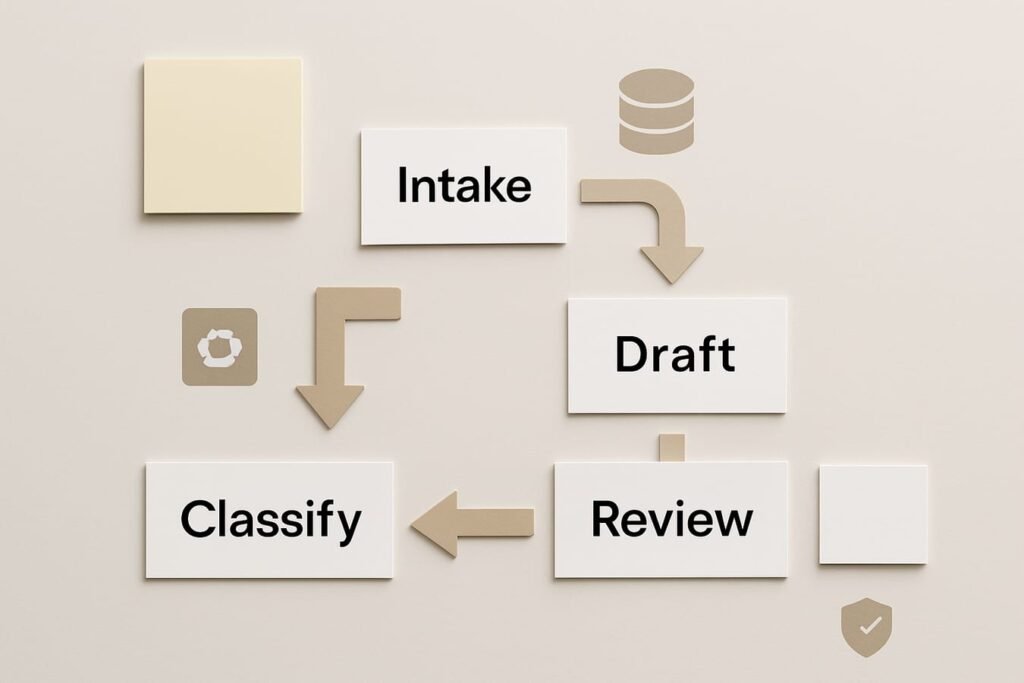
Use this decision checklist to prioritize candidates
| Criteria | What to look for | Good first candidates | Proceed with caution |
|---|---|---|---|
| Volume | Happens daily/weekly; repetitive inputs | Ticket triage, email summaries, meeting follow-ups | Quarterly strategy planning |
| Clarity | Clear rubric for correct/incorrect | Invoice categorization, FAQ drafting, data cleanup rules | Brand voice without guidelines |
| Risk | Low impact if AI is wrong; easy to catch | Drafts that require approval | Auto-sending customer refunds or contract terms |
| Data access | Inputs are available and structured enough | Forms, CRM fields, templated emails | Scattered notes; private data without policy |
| Measurability | You can measure time saved or quality improvement | Handle time, first-response time, error rate | “Feels faster” with no baseline |
Practical rule: choose one workflow for a 2-week pilot. If you start with five, you’ll spend your time debating tools instead of improving a process.
Step 2: Map the current process (the “as-is” workflow)
Before adding AI, write down how the work happens today. Keep it concrete and observable—what triggers it, where information lives, and what the output looks like.
A simple “as-is” map template
- Trigger: What starts the work? (New ticket, form submission, meeting ends)
- Inputs: What information is needed? Where does it come from?
- Steps: What does a person do, step by step?
- Decisions: Where do they branch? (Refund vs. replace; urgent vs. normal)
- Outputs: What “done” looks like (email sent, CRM updated, task created)
- Failure points: Common mistakes, delays, missing info
This mapping stage reveals the real opportunities: steps that are copy/paste heavy, repeated research, or consistent categorization. It also exposes hidden requirements (approvals, compliance language, evidence needed).
Step 3: Decide AI’s role in the workflow (assist, decide, or execute)
Most business workflows can use AI in a few repeatable roles. Choosing the role upfront prevents accidental over-automation.
- Generate: Draft emails, proposals, social captions, knowledge base articles.
- Summarize: Convert long threads and calls into short briefs and action items.
- Classify: Tag topics, sentiment, urgency, intent; route to the right queue.
- Extract: Pull key fields from text (order number, dates, product, issue).
- Retrieve + answer: Use your approved docs to produce consistent responses.
- Check: Verify tone, completeness, formatting, policy adherence.
Set the automation level deliberately
A reliable pattern for general business use is:
- AI drafts → Human approves → System sends/updates
This keeps speed while protecting quality and preventing “oops” moments.
Step 4: Design the “to-be” workflow with guardrails
Now rewrite your workflow as it should work with AI. The key is to define guardrails that make outputs predictable—especially when the input is messy.
Guardrails to define (non-negotiables)
- Allowed inputs: What content the AI can read (and what is restricted).
- Approved sources: Which documents/policies it can reference.
- Output format: A structured template (bullets, headings, required fields).
- Confidence signals: When to escalate to a human (unclear intent, missing order ID, sensitive request).
- Human checkpoints: Where approval is required before actions are taken.
Shortcut warning: If your workflow includes “AI sends directly to customers” on day one, you’re skipping the only step that prevents costly brand, compliance, and trust issues. Start with draft-only and add auto-send later—if the metrics and guardrails earn it.
Step 5: Choose tools based on the workflow, not the other way around
You can build strong AI workflows without assembling a complicated tech stack. Focus on the minimum set of building blocks:
- Where work starts: Email, web form, help desk, CRM, chat, shared inbox
- Automation layer: A workflow tool to trigger steps, pass data, and log outcomes
- AI layer: A model used for drafting, summarizing, extracting, or classifying
- Knowledge layer: A place to store approved content (policies, playbooks, SOPs)
- Review layer: A queue or approval step for humans
- Analytics: Time saved, accuracy, rework rate, customer impact
If you’re already building campaigns and lifecycle flows, it’s often natural to connect AI workflows into your broader marketing automation setup—especially for lead routing, personalization drafts, and content repurposing.
Step 6: Create the “workflow spec” (the document that prevents chaos)
Before anyone builds, write a one-page spec. This becomes your single source of truth for what the workflow does and why.
Workflow spec: what to include
- Name: “Support Triage + Draft Reply (Tier 1)”
- Owner: One accountable person (ops, support lead, marketing lead)
- Goal: Reduce first-response time by 30% while maintaining CSAT
- Trigger: New ticket in help desk with attachments allowed/not allowed
- Inputs: Ticket body, customer tier, order ID, product
- AI tasks: Classify issue; draft response; suggest macros; list missing info
- Human tasks: Approve/edit; choose final macro; decide exceptions
- Output: Reply sent + tags applied + ticket routed
- Escalation rules: Billing disputes, legal threats, refunds above threshold
- Metrics: Time-to-first-response, reopens, QA score, edit distance
Step 7: Build prompts and templates that your team can actually reuse
The difference between “AI helps sometimes” and “AI is dependable” is usually structure. Prompts should be short, explicit, and paired with an output template that matches your process.
Template patterns that work across departments
- Response draft template: Greeting → summary of request → solution steps → confirmation question → signature
- Meeting-to-actions template: Decisions → action items (owner + due date) → open questions → risks
- Lead brief template: Company snapshot → likely needs → personalization angles → next best action
- Quality checklist template: Policy compliance → tone → completeness → required fields present
Keep a shared library of templates and approved language. When someone tweaks a prompt to “make it better,” you want that improvement to become part of the system—not trapped in one person’s tab.
Step 8: Put humans in the right places (not everywhere)
Human-in-the-loop isn’t a moral stance; it’s a design choice. Put human review where it reduces risk or improves outcomes, and remove it where it’s just ceremonial.
Smart review checkpoints
- High-risk outputs: Refund approvals, contract language, regulatory claims
- First-time categories: New issue types or new products without stable policy
- Low-confidence signals: Missing identifiers, conflicting details, angry messages
- Random QA sampling: Review 5–10% of “easy” cases to catch drift
Step 9: Measure what matters (so you can justify expansion)
If you don’t measure, the workflow becomes a novelty—impressive demos, unclear impact. Pick metrics that reflect time, quality, and business outcomes.
Practical metrics for an AI-powered workflow
- Time saved: Minutes per item; total hours per week
- Throughput: Items processed per person per day
- Quality: QA score, error rate, rework rate, ticket reopens
- Customer impact: First response time, CSAT, NPS comments, churn signals
- Adoption: % of items using the workflow; approval turnaround time
- Cost control: AI usage costs per item; model calls per ticket
Establish a baseline before you change anything
Measure one week of “before” performance. Even simple tracking—like average handle time across 50 tickets—makes your pilot credible and helps you spot real gains versus placebo.
Step 10: Roll out in a safe sequence (pilot → stabilize → scale)
A smooth rollout is boring and disciplined. A chaotic rollout is fast and painful. Choose boring.
- Pilot (2 weeks): One team, one workflow, draft-only outputs, daily feedback.
- Stabilize (2–4 weeks): Lock templates, tune escalation rules, add QA sampling.
- Scale: Expand to similar workflows, reuse components, document everything.
Operational checklist (print this)
- Process: “As-is” mapped; “to-be” designed; exceptions identified
- Data: Inputs available; sensitive data policy defined; access controls set
- Templates: Output format standardized; brand/policy language approved
- Controls: Human approval where needed; escalation rules written
- Tracking: Baseline captured; KPIs chosen; logs retained for QA
- Training: Team knows how to review, edit, and report failures
- Governance: Owner assigned; change process set (who edits prompts and when)
Common workflow patterns (with concrete examples)
1) Support: triage + draft + route
Trigger: New ticket arrives. AI role: classify (billing/tech/shipping), extract (order ID), draft reply, suggest next step. Human role: approve draft; handle exceptions. Output: response + correct tags + routed queue.
2) Sales: lead intake to personalized first touch
Trigger: Form fill or inbound email. AI role: summarize needs, create a short account brief, draft a tailored email, propose next step. Human role: edit tone, confirm claims, send. Output: CRM updated + outreach sent.
3) Operations: invoice/expense coding and exception detection
Trigger: New invoice PDF or email. AI role: extract vendor/date/amount, suggest category, flag anomalies (missing PO, unusual totals). Human role: approve exceptions. Output: accounting entry + exception queue.
FAQ
Do I need custom software to design an AI-powered workflow?
Not necessarily. Many workflows can be built with a standard automation tool plus an AI model and a place to store approved knowledge. Custom software can help when you need deeper integrations, complex permissions, or high-volume performance, but it’s rarely the best first move.
What’s the safest first workflow to try?
Pick something draft-only with a clear reviewer: support reply drafts, meeting summaries turned into tasks, or content repurposing (long note → short email). You get real time savings without letting the system take irreversible actions.
How do I keep AI outputs consistent across team members?
Standardize the output template, store approved language in a shared library, and limit prompt editing to a defined owner or change process. Consistency comes more from structure than from clever prompts.
What should we avoid putting into AI tools?
Avoid sharing sensitive personal data, confidential customer information, or regulated details unless you have clear internal policies, proper access controls, and vendor terms that match your requirements. When in doubt, minimize data sent and keep humans in the loop for sensitive cases.
How do I prove ROI without overcomplicating metrics?
Track three numbers: average minutes saved per item, error/rework rate, and one business metric tied to the workflow (first response time, lead-to-meeting rate, invoice cycle time). Use a one-week baseline, then compare during the pilot.
When is it reasonable to let AI take actions automatically?
After the workflow has stable templates, clear escalation rules, and consistent QA results—and only for low-risk actions. A common middle step is “auto-complete when confidence is high, otherwise send to review.” Exact thresholds depend on your process and tolerance for mistakes.
Next step: design one workflow you can ship in 14 days
Choose a single high-volume workflow, map the “as-is” steps, and write a one-page spec. Build for draft + review, measure baseline versus pilot, then stabilize before you scale. That sequence is how AI becomes a dependable part of operations instead of another tool your team forgets to use.