The biggest misunderstanding about AI agents is subtle: people hear “agent” and assume it’s just a chatbot with a fancier name. In reality, the “agent” part isn’t about sounding smarter in conversation—it’s about acting. An AI agent is built to pursue a goal through a series of steps, using tools, checking outcomes, and adjusting along the way.
That difference—multi-step action with feedback—is why agents are suddenly everywhere. They can draft a response, pull data from a system, schedule a meeting, create a ticket, and then verify that the ticket was created correctly. They can also get things wrong in more interesting ways than a typical chatbot, which makes understanding the mechanics (and the guardrails) genuinely important.
What is an AI agent (in plain English)?
An AI agent is a software system that uses an AI model (often a large language model) to:
- Interpret a goal (what you want done),
- Plan steps toward that goal,
- Use tools (apps, APIs, databases, browsers, internal systems),
- Observe results (what happened after each action),
- Iterate until it reaches a stopping point (done, blocked, or escalated).
Think of it less like “ask a question, get an answer” and more like “assign a task, get a sequence of actions plus a report.” The agent may still chat, but conversation is the interface—not the whole job.
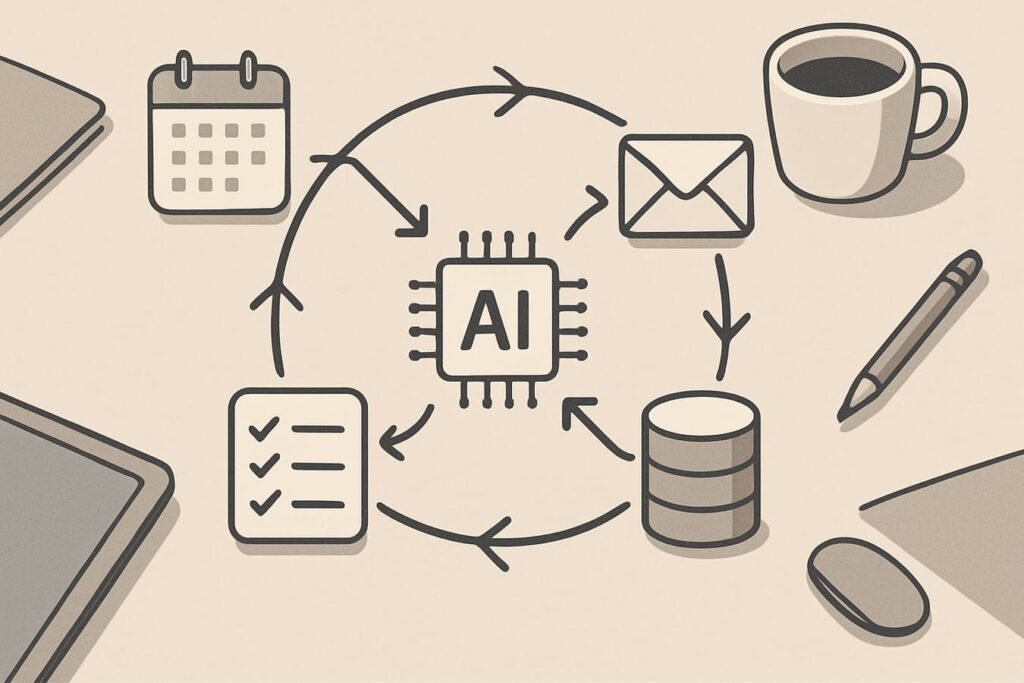
How AI agents work: the agent loop
Most modern agent designs boil down to a loop. Names vary by tool and vendor, but the anatomy is consistent:
1) Goal and constraints
Every useful agent begins with a clear target and boundaries. “Find the best vendor” is vague; “compare three vendors under $10k/year, SOC 2 required, summarize pros/cons for procurement” is workable. Constraints reduce wandering and make evaluation possible.
2) Planning (sometimes explicit, sometimes hidden)
The agent decides what to do first, second, and third. Some systems expose the plan in a “task list.” Others keep planning implicit. Either way, planning is where agents diverge from standard chat: they choose an approach, not just a response.
3) Tool use and actions
Tools are what give agents leverage. A non-agent model can describe how to send an email; an agent can call an email tool to actually send it (or draft it and ask for approval). Tools typically include:
- Retrieval: search, knowledge bases, document stores
- Productivity: email, calendar, docs, spreadsheets
- Business systems: CRM, help desk, ERP, ticketing
- Data access: databases, analytics platforms, dashboards
- Execution: scripts, automation platforms, workflow runners
4) Observation and validation
After each tool call, the agent reads the result and decides whether it succeeded. This is where good systems add checks: confirm a record was created, verify a link resolves, ensure a number matches the source, or detect missing permissions.
5) Memory (short-term and long-term)
“Memory” doesn’t always mean the model literally remembers you. In practice, agents use two kinds of context:
- Short-term context: the active conversation and current task state
- Long-term memory: saved notes, user preferences, project facts, or retrieved documents
Long-term memory can help an agent stay consistent (preferred tone, approved vendors, standard operating procedures), but it increases privacy and security stakes.
6) A stopping rule
Agents need a clear “done” definition. Otherwise they keep exploring, calling tools, and spending tokens (or money). Common stopping rules include: task completion criteria, maximum steps, time limits, or a required human approval before final action.
AI agents vs chatbots vs workflows: what’s actually different?
Teams often buy “agents” when they really need either (a) a better chatbot for Q&A, or (b) a deterministic workflow for reliability. The differences matter because they affect cost, risk, and maintenance.
| Capability | Chatbot | Workflow automation | AI agent |
|---|---|---|---|
| Main job | Answer questions, draft text | Execute predefined steps | Pursue a goal with flexible steps |
| Adaptability | Medium (language-level) | Low (as designed) | High (plans change based on results) |
| Tool use | Optional, limited | Core feature | Core feature, chosen dynamically |
| Reliability | Variable | High | Variable unless constrained and tested |
| Best for | Information, drafting, assistance | Repeatable operations | Messy tasks with changing context |
| Risk profile | Hallucinations, wrong advice | Misconfigurations | All of the above + unintended actions |
Why AI agents matter (beyond the hype)
Agents matter because they shift AI from “content generation” to “work completion.” That unlocks value in places where time is lost between systems: copying details from an email into a CRM, reconciling mismatched spreadsheets, or coordinating a multi-step process across teams.
In practice, the most valuable gains often come from reducing coordination overhead:
- Fewer context switches between tools
- Less “glue work” (formatting, updating, summarizing)
- Faster triage and routing (deciding what needs human attention)
- More consistent execution of standard procedures
If you want a deeper dive into patterns and real-world implementations, browse the AI agents category for related guides and updates.
Concrete examples: what an agent does that a model alone can’t
Example 1: Customer support triage
A support agent receives 200 tickets a day. An AI agent can:
- Read each ticket, detect intent (billing, bug, access issue)
- Pull account status from internal tools
- Suggest a response draft and recommended next action
- Open a bug report with the right template if needed
- Route to the correct queue based on priority rules
The key is that it doesn’t just summarize—it moves the work forward, ideally with checkpoints for humans where stakes are high.
Example 2: Sales ops follow-up
After a demo, an agent can compile notes, update fields in a CRM, draft a follow-up email in the right tone, and schedule a reminder. A simple chatbot can help write the email, but it won’t reliably update the CRM unless it’s agentic and tool-connected.
Example 3: Research-to-brief pipeline
For a market scan, an agent can gather sources, extract key claims, organize them into a brief, and flag contradictions. The difference-maker is the ability to repeatedly retrieve, compare, and refine—rather than producing a one-pass summary.
Autonomy levels: the part most teams skip
“Autonomous” isn’t one setting. It’s a ladder. Before deploying an agent, decide where on this ladder you want to start:
- Suggest: agent proposes actions (no execution)
- Draft: agent prepares outputs (emails, tickets, updates) for approval
- Execute with approval gates: agent takes actions only after sign-off
- Execute within limits: agent can act freely inside strict rules (budgets, permissions, scopes)
- Fully autonomous: agent operates end-to-end with minimal oversight (rarely appropriate)
Most real-world wins happen at levels 2–4. Full autonomy is a long-term goal for narrow domains, not a default.
Where AI agents go wrong (and how to reduce the risk)
Agents fail differently than chatbots because they can change the world outside the chat window. The common failure modes are predictable—and manageable—if you plan for them.
Typical failure modes
- Hallucinated facts become actions: the agent invents a detail, then files a ticket with the wrong customer ID.
- Tool errors masquerade as success: a permission failure returns a confusing message; the agent assumes the record was created.
- Overreach: it “helpfully” changes more than requested (edits extra fields, closes tickets, deletes duplicates incorrectly).
- Prompt injection and unsafe instructions: content from a webpage or document tries to redirect the agent’s behavior.
- Data leakage: sensitive info ends up in logs, chat history, or external tools.
Guardrails that actually help
- Least-privilege access: give the agent only the permissions it needs.
- Allowlists for tools and destinations: restrict where it can send data or create records.
- Verification steps: require the agent to confirm critical outputs against source data.
- Human approval for high-impact actions: refunds, contract changes, deletions, external emails.
- Audit logs: record what it did, with timestamps and tool results.
- Clear escalation paths: when uncertain, it should stop and ask—not guess.
Editorial callout: Treat agents like junior operators, not like calculators. They can be fast and surprisingly capable, but they need supervision, boundaries, and performance reviews. If a mistake would cost real money, harm trust, or create compliance exposure, add an approval gate and instrument the system before you scale.
A practical checklist: deciding whether you need an agent
- The task is multi-step and changes based on intermediate results.
- Tools are involved (CRM, calendar, ticketing, database), not just writing text.
- Success is measurable: time saved, fewer errors, faster resolution, higher conversion.
- There’s a safe “sandbox” to test (non-production data, limited accounts, staged rollouts).
- Edge cases are known (and you have a plan for them).
- Permissions and privacy are mapped (who can access what, where data flows).
- Humans stay in the loop at the right points (money, legal, reputation).
How to evaluate an AI agent before trusting it
Agent demos often look flawless because the scenario is curated. A better evaluation approach is to test with messy reality:
- Test set of real cases: 50–200 examples that reflect what your team sees weekly.
- Success metrics: completion rate, correction rate, time-to-resolution, escalation rate.
- Cost controls: average steps per task, tool calls per task, max runtime.
- Safety checks: does it refuse unsafe requests? does it avoid sending secrets to external tools?
- Regression testing: re-run the same set after changes to prompts, tools, or models.
Most importantly, separate “sounds correct” from “is correct.” Agents should prove their work with citations, IDs, tool outputs, and verifiable side effects.
FAQ
Are AI agents the same as autonomous AI?
Not necessarily. “Agent” describes a system that can plan and take actions; autonomy is a degree. Many agents are designed to draft and recommend, with humans approving final actions.
Do AI agents require large language models?
Most current agents use LLMs because they’re flexible planners and good at interpreting messy instructions. But an “agent” can also be built with other AI approaches—what matters is the goal-driven loop and tool use, not the specific model family.
What’s the difference between an AI agent and a chatbot with plugins?
A chatbot with plugins typically responds to a user prompt and may call a tool once or twice. An agent is built to sequence actions: it can decide to search, then extract, then create a record, then verify the record—often across multiple tool calls—until the task is complete or escalated.
Are AI agents safe for business-critical tasks?
They can be, depending on the design. The safest deployments start with narrow scope, least-privilege permissions, approvals for high-impact actions, and strong audit logs. Safety is an engineering and process question as much as a model question.
What’s a good first AI agent project?
Pick a task that’s repetitive, tool-heavy, and easy to verify: support triage, meeting follow-ups, internal knowledge-base answers with citations, or data cleanup suggestions that require approval before changes.
Will AI agents replace human roles?
In many organizations, agents shift work rather than eliminate it: less busywork, more oversight, more exception handling, and more time spent on decisions that need judgment. Outcomes depend on the task, the industry, and how the system is governed.