It’s 4:45 p.m. You’re trying to close out the day, but you’re still copying leads from email into your CRM, chasing an overdue invoice, answering the same customer question for the fifth time, and wondering whether that “urgent” Slack message actually needs your attention. None of this work is strategic—yet it’s exactly what keeps the business running.
AI automation is what you reach for when traditional automation isn’t quite enough. It combines workflow automation (moving information between tools and triggering actions) with artificial intelligence (understanding language, recognizing patterns, making predictions) so the routine work doesn’t keep landing back on your desk.
What AI automation is (in plain terms)
AI automation is the use of AI to make automated workflows smarter, more flexible, and less reliant on rigid rules. Instead of only reacting to exact triggers (“if subject line contains X, do Y”), AI automation can handle messy real-world inputs—emails written differently each time, invoices in different formats, customer requests with typos, or notes that need to be summarized and categorized.
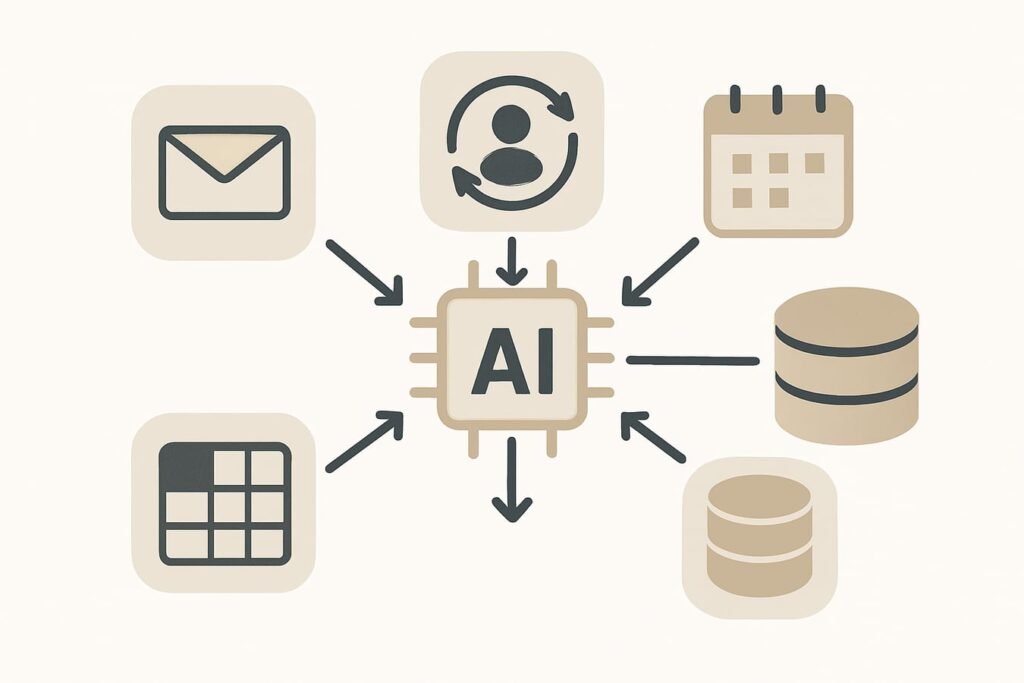
A practical way to think about it:
- Automation moves work along a track (reliable, rules-based).
- AI interprets and decides when inputs are unstructured or ambiguous.
- AI automation connects the two—AI reads/decides, automation executes.
AI automation vs. “regular” automation
Traditional automation shines when the process is consistent: copying a form submission into a spreadsheet, creating a task when a deal moves stages, sending a standard follow-up email. The moment variation shows up—different wording, different document layouts, edge cases—traditional automation becomes fragile and needs constant patching.
AI automation is designed for variation. It can extract meaning, classify requests, summarize, and route work appropriately—while still logging everything, creating tasks, and notifying the right person.
How AI automation works: the building blocks
Even when the tools look “magical,” most AI automation workflows are built from a few repeatable components:
- Trigger: Something happens (a new email arrives, a form is submitted, a ticket is created).
- Data: The workflow collects context (customer record, order history, product catalog, policy docs).
- AI step: AI performs an interpretation task—summarize, classify, extract fields, draft a response, detect sentiment, or recommend next actions.
- Business rules: Guardrails determine what the workflow is allowed to do (limits, approvals, escalation paths).
- Action: The workflow updates systems and communicates (create a CRM note, route a ticket, draft an email, schedule a task).
- Human review (often): A person approves, edits, or handles exceptions—especially early on.
Most successful setups use AI for the “thinking” portions (interpretation) and keep the “doing” portions (sending, updating, triggering payments, publishing) tightly controlled.
Where AI automation fits best (and where it doesn’t)
AI automation is most valuable when you have repetitive work with variable inputs. That’s the sweet spot: the steps are predictable, but the information arriving is not.
Good candidates
- Customer support triage: Categorize tickets, suggest replies, route to the right team, detect urgent issues.
- Sales operations: Enrich leads, score inbound requests, summarize calls, generate follow-up tasks.
- Finance back office: Extract invoice details, match to purchase orders, flag anomalies for review.
- HR and recruiting support: Draft interview questions, summarize resumes (with policy guardrails), schedule workflows.
- Internal admin: Turn meeting notes into action items, maintain knowledge bases, answer common internal questions.
Usually poor candidates
- High-stakes, irreversible actions without oversight: firing employees, issuing refunds automatically, approving credit, or making legal commitments.
- Processes with unclear ownership: if no one owns the outcome, automation will amplify confusion.
- Workflows dependent on constantly changing policy with no source of truth: AI can’t compensate for missing governance.
Common AI automation use cases (by department)
To make this concrete, here are practical use cases that show up in real businesses. You don’t need all of them—one well-chosen workflow can free hours per week.
Sales: inbound lead triage and fast follow-up
- Trigger: a lead submits a web form or emails sales@.
- AI step: classify intent (demo request, pricing, partnership, support), summarize needs, pull key details (industry, company size, timeline).
- Action: create/update CRM record, assign owner, draft a personalized reply, schedule follow-up tasks.
Support: smarter ticket routing and response drafts
- Trigger: new ticket arrives.
- AI step: categorize issue, detect sentiment/urgency, propose a response using approved knowledge-base content.
- Action: route to the right queue, attach suggested reply, notify a manager if escalation signals appear.
Operations: meeting notes to tasks
- Trigger: meeting transcript or notes are saved.
- AI step: summarize decisions, extract action items, assign owners based on keywords or attendee roles.
- Action: create tasks in your project tool, send a recap email, log decisions in a shared doc.
Finance: invoice intake and exception handling
- Trigger: invoice PDF arrives via email/upload.
- AI step: extract vendor, invoice number, amount, due date; flag missing PO or suspicious line items.
- Action: create a bill draft in accounting software and route exceptions to a reviewer instead of blocking the whole flow.
Decision checklist: pick your first AI automation (without guesswork)
If you start with the wrong workflow, AI automation feels messy—too many edge cases, unclear value, and too much oversight. The table below helps you choose a first project that’s likely to succeed.
| Selection factor | What “good” looks like | Red flags | How to validate quickly |
|---|---|---|---|
| Frequency | Happens daily/weekly; lots of repeats | Rare, one-off tasks | Count items for 2 weeks (tickets/leads/invoices) |
| Time cost | 10–30 minutes per item adds up | Only seconds per item | Time three examples end-to-end |
| Input variability | Emails/docs vary; rules alone struggle | Perfectly structured data already | Review 20 recent items and note differences |
| Risk level | Low risk; easy to review before acting | Legal/financial commitments, compliance heavy | Define worst-case mistake and its cost |
| Clear owner | One person/team owns outcomes and metrics | Shared responsibility; unclear escalation | Assign one accountable owner before building |
| Measurable outcome | Faster response time, fewer touches, higher conversion | “Feels more efficient” without numbers | Pick 2–3 KPIs and capture baseline |
A simple rollout plan (pilot first, then scale)
AI automation is easiest to adopt when you treat it like an operational improvement, not a “big AI transformation.” Use a short pilot to learn where AI is reliable and where it needs guardrails.
Step 1: Map the process on one page
Write the workflow from trigger to finish: where information comes from, what decisions are made, and what tools get updated. Identify two things:
- Judgment steps (classification, summarizing, deciding priority) — good AI candidates.
- Execution steps (send email, update CRM, create invoice) — automate with strict rules and logging.
Step 2: Choose the lightest-weight “win”
For a first project, prefer automations that draft and route rather than fully act. Example: AI drafts a support reply and routes it; a human clicks send.
Step 3: Add guardrails before you add power
- Human-in-the-loop: require approval for external messages and financial actions.
- Confidence thresholds: if AI is unsure, route to a person instead of guessing.
- Allow lists and templates: limit what sources the AI can use; keep outputs on-brand and compliant.
- Audit trail: log the input, AI output, and final action for troubleshooting.
Step 4: Measure impact with operational KPIs
Pick metrics that match the workflow:
- Speed: time to first response; time to resolution; time to invoice entry.
- Quality: re-open rate; customer satisfaction; error rate; number of escalations.
- Cost/time: touches per ticket; minutes saved per item; volume handled per team member.
Expect iteration. The goal is not perfection on day one—it’s consistent improvement with fewer manual touches.
Practical warning: Don’t let AI automation “write and send” to customers on day one. Start with draft-only or draft + approval until you’ve reviewed enough outputs to trust the boundaries. You’ll protect your brand and learn faster.
Risks business owners should plan for (without panic)
AI automation can create real leverage, but it also introduces new failure modes. A few are predictable—and preventable.
Accuracy and hallucinations
AI can produce confident-sounding mistakes, especially when asked to invent missing details. Mitigation: restrict sources, require citations/links to internal docs when appropriate, and route uncertain cases to humans.
Data privacy and access control
Automation often touches sensitive data: customer emails, contracts, invoices, HR notes. Mitigation: apply least-privilege access, remove unnecessary fields, and confirm where data is stored and processed. If you need a baseline to align your approach, your own legal and compliance requirements should take priority; public guidance also varies by industry and region.
Compliance and brand risk
If AI outputs are customer-facing, they can accidentally violate policy (refund promises, medical or legal advice, pricing inconsistencies). Mitigation: approved response boundaries, template libraries, and review steps for high-risk categories.
Tool sprawl and hidden costs
It’s easy to stack multiple tools (automation platform + AI model + connectors) and end up with brittle workflows and surprise bills. Mitigation: consolidate where possible; document workflows; track ROI using time saved and error reduction—not just “number of automations.”
When you’re ready for the next level
Once you have a few stable workflows, you may be ready for more autonomous systems that can plan multi-step tasks and manage exceptions. That’s where AI agents often enter the conversation—useful, but best approached after you’ve nailed the fundamentals: clear processes, guardrails, and measurement.
Quick start checklist: your first 30 days
- List 10 recurring tasks that steal time weekly (support triage, lead routing, invoice intake, meeting recap).
- Pick one process with low risk and clear metrics.
- Document the workflow (trigger → decisions → actions → exceptions).
- Define guardrails: what the AI can do, what requires approval, what is forbidden.
- Pilot for 2–4 weeks with human review turned on.
- Track KPIs weekly; compare to baseline.
- Refine prompts and rules based on errors and edge cases.
- Scale carefully: expand volume first, then add capabilities.
FAQ
Is AI automation the same as robotic process automation (RPA)?
Not exactly. RPA typically automates repetitive, rules-driven tasks (often by mimicking clicks and keystrokes). AI automation can include RPA, but adds AI for understanding language, extracting data from messy documents, and making routing decisions. Many modern setups blend both.
Do I need developers to implement AI automation?
Not always. Many businesses start with no-code or low-code tools, especially for common apps (email, CRM, help desk). You’re more likely to need developers when you want deeper integrations, custom security requirements, or highly specialized workflows.
What’s a realistic first project for a small business?
A strong first project is usually “triage and drafting,” not “autonomous execution.” Examples include: categorizing support tickets and drafting responses for approval, summarizing sales calls into CRM notes, or extracting invoice fields and routing exceptions to a reviewer.
How do I know if AI automation is worth it?
Calculate the baseline cost of the current process: volume per week × minutes per item × fully loaded hourly cost. Then estimate savings conservatively (for example, reducing time per item by 30–50% during the pilot). Also consider quality gains like faster response times and fewer errors—just avoid assuming perfect accuracy.
What’s the biggest mistake business owners make with AI automation?
Skipping process clarity. If the team can’t describe the “correct” workflow, AI will automate inconsistencies and amplify them. A close second is removing human review too early for customer-facing or financial actions.
How should we handle sensitive data?
Start with least-privilege access, minimize the data shared with the AI step, and document what data flows where. If you operate in a regulated industry, involve your compliance or legal stakeholders early and align on retention, access, and audit requirements before scaling.