Customer support and lead management often fail for the same reason: too much manual sorting and too little context at the moment a decision is made. Tickets pile up because nobody knows what’s urgent. Leads go stale because follow-up depends on someone noticing a new form fill at the right time.
AI automation helps when it’s used as a coordinator—not a replacement. The practical win is simple: faster triage, cleaner routing, better summaries, and consistent next steps. The human team still handles edge cases, relationship moments, and final judgment calls.
Phase 1: Map the “intake” points (and choose what to automate first)
Before tools and prompts, get specific about where requests enter your business. Most teams have more channels than they think, and each one needs a predictable path.
List every place customers and leads show up
- Support: helpdesk form, email inbox, live chat, social DMs, app store reviews, phone transcripts, community forum
- Leads: website forms, demo requests, newsletter signups, webinar registrations, inbound calls, referrals, partner inquiries
Pick 1–2 workflows with high volume and clear rules
AI automation is easiest to pilot when the decisions are frequent and the “right next step” is repeatable.
- Good first support workflow: order status questions, password resets, appointment reschedules, shipping delays
- Good first lead workflow: demo requests, pricing inquiries, “contact sales” forms, inbound emails asking for availability
Editorial callout: Start with routing, not rewriting. The fastest ROI usually comes from getting the right item to the right place (and capturing context), not from generating long AI replies. Make the first milestone “triage + handoff” and build outward from there.
Phase 2: Define outcomes and guardrails (what “good” looks like)
Automation without a definition of “success” creates noise. Decide what your system is trying to optimize, then set boundaries so it stays safe and on-brand.
Support outcomes worth measuring
- First response time (FRT): minutes/hours to first meaningful reply
- Time to resolution: how long tickets remain open
- Deflection rate: percentage resolved via self-serve (only if quality stays high)
- CSAT or sentiment: short post-resolution surveys; watch trends, not single scores
- Escalation accuracy: how often AI sends tickets to the correct queue
Lead outcomes worth measuring
- Speed-to-lead: time from inquiry to first follow-up
- Contact rate: percent of leads reached within a defined window (e.g., 1 hour)
- Qualification rate: leads correctly tagged as fit/not fit/needs nurture
- Meeting set rate: demos booked, consultations scheduled
- Pipeline hygiene: fewer duplicates, more complete fields, consistent source tracking
Set clear guardrails
- Disclosure: when an interaction is AI-assisted (especially in chat); avoid pretending a bot is a human
- Escalation rules: billing disputes, cancellations, refunds, legal threats, safety issues go to humans
- Data boundaries: minimize sensitive data in prompts; restrict access by role; log actions
- Brand tone: approved phrases, no over-promising, no absolute commitments
Phase 3: Build your data foundation (so AI has the right context)
AI can only route and assist well if it can “see” reliable information. This phase is less glamorous, but it prevents the classic failure: automating a messy system and getting messier results.
Support: make knowledge usable
- Identify top 25 questions from the last 60–90 days of tickets.
- Update 10–15 key articles with short titles, direct steps, and current policies.
- Attach metadata (billing, shipping, technical, account) so AI can retrieve and cite the right content.
Leads: standardize fields and definitions
- Required fields: name, email, company (if B2B), source, product interest, urgency
- Picklists for consistency: industry, use case, budget range, company size
- Define lifecycle stages: new → contacted → qualified → meeting set → nurturing → closed
Phase 4: Automate customer support triage and responses (human-first design)
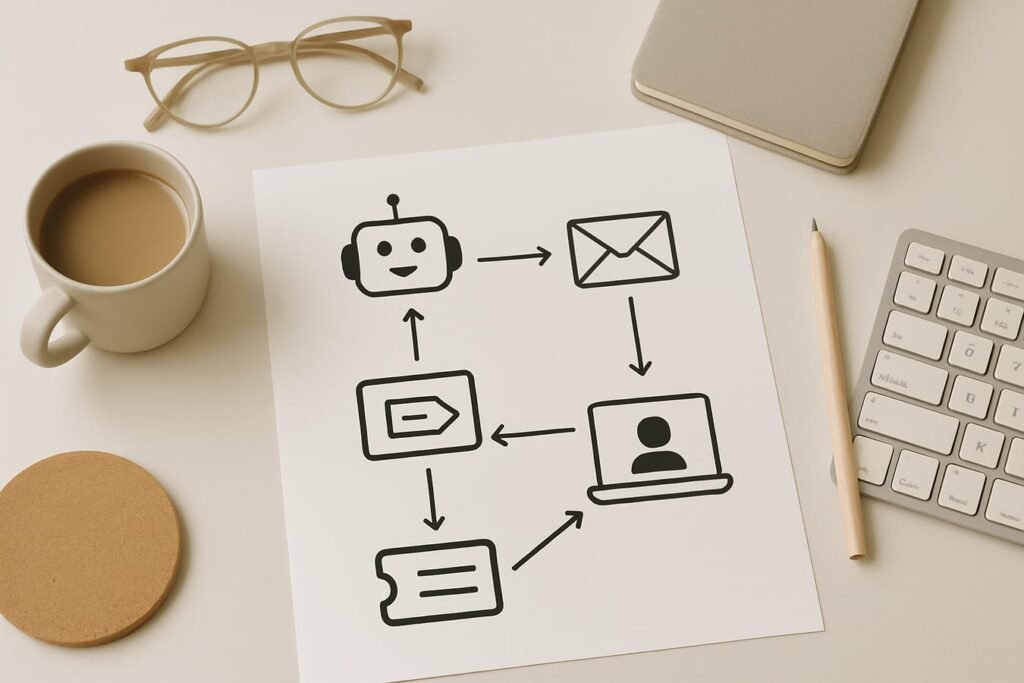
Think of support automation as a pipeline: capture → classify → enrich → route → assist → learn.
Step 1: Classify tickets by intent and urgency
AI can read incoming messages and label them using categories you control, such as:
- Intent: order status, refund request, bug report, feature request, how-to question
- Urgency: low/medium/high (based on keywords, account tier, outages, deadlines)
- Sentiment: calm/frustrated/escalating (helpful for prioritization)
Step 2: Route to the right queue with complete context
Routing is more than “send to billing.” It should include a compact summary and the details agents need without hunting.
- Customer identifiers (account email, order number if present)
- What happened (1–2 sentences)
- What the customer wants now
- Suggested next action (refund policy link, troubleshooting steps, escalation)
Step 3: Generate suggested replies (not auto-sends) for complex cases
For many teams, the sweet spot is AI drafting replies that agents approve. This keeps quality high and reduces the risk of a wrong promise.
- Use case: “How do I change my plan?” → AI drafts a compliant answer with steps and policy language.
- Use case: “Your app is broken” → AI drafts a troubleshooting sequence and asks for key device details.
Step 4: Close the loop with summaries and tags
After resolution, automate two small but valuable tasks:
- Ticket summary: what happened, what fixed it, and any follow-up needed
- Structured tags: product area, root cause, customer impact—fuel for reporting and product feedback
Phase 5: Automate lead capture, qualification, and follow-up (without spamming)
Lead management improves when AI handles the immediate, repeatable moves: confirming the inquiry, capturing missing details, and routing to the right owner.
Step 1: Respond fast with a “receipt + next step” message
When a lead requests pricing or a demo, speed matters. A good automated response does three things:
- Confirms you received the request
- Sets expectations (“We’ll reply within 1 business day”)
- Collects 1–3 missing details (use case, timeline, team size) without sounding like an interrogation
Step 2: Qualify using consistent criteria
Qualification doesn’t need to be harsh or overly complex. Start with a lightweight model based on what your business actually needs.
- Fit: industry/use case matches your core customers
- Ability: budget range or willingness to invest (when appropriate)
- Timing: now vs. later; deadlines; procurement constraints
- Authority: decision-maker vs. influencer vs. researcher
Step 3: Route leads to the right owner—and the right motion
Not every lead should go to sales immediately. AI automation can route by rules:
- High-intent leads (pricing + urgent timeline) → sales rep + calendar link
- Mid-intent leads (researching) → nurture sequence + optional consult offer
- Support-like inquiries (“How do I integrate?”) → solutions engineer or support pre-sales queue
If you’re already investing in broader marketing automation, align these routes with your existing email journeys so the lead experience feels consistent from first click to first call.
Step 4: Keep follow-up helpful and specific
AI can draft follow-ups that reference the lead’s stated goal, suggest the next best resource, and offer a clear action (book a time, reply with one detail, or review a relevant guide). Avoid generic “just checking in” loops—those train recipients to ignore you.
Phase 6: Connect support and leads (the handoff most teams miss)
Customer support and lead management should share signals. Two high-impact connections:
Support-to-sales: identify expansion and upsell moments
- Repeated questions about a feature that exists in a higher plan
- Usage spikes, more seats needed, or requests for admin controls
- “Can you support our security review?” or “Do you have an SLA?”
AI can tag these interactions and create a sales task with context (what they asked, account tier, relevant product area) so outreach feels natural—not opportunistic.
Sales-to-support: prevent churn and reduce friction
- New customers who struggled during trial should trigger onboarding help
- Complex deals should create a support “heads-up” note: promised timelines, integrations, constraints
- Recurring objections should feed your knowledge base and playbooks
Implementation timeline: a 4-week rollout you can actually run
The goal is controlled change. A short pilot beats a sprawling “AI overhaul” that never ships.
| Week | Focus | What you build | Definition of done |
|---|---|---|---|
| 1 | Discovery + baselines | Channel map, top intents list, metrics baseline, escalation rules | Documented workflows; current FRT and speed-to-lead measured |
| 2 | Support triage pilot | Intent tagging, urgency labels, routing to queues, agent summary template | 80–90% of tickets tagged and routed correctly in test set |
| 3 | Lead qualification pilot | Auto-reply receipt, missing-field capture, lead scoring tags, owner routing | Speed-to-lead improves; fewer unassigned/duplicate leads |
| 4 | Refine + expand | Suggested replies, better KB retrieval, handoff signals support↔sales | Quality review passes; team agrees to expand to a second channel |
What to automate vs. keep human: a quick comparison
| Activity | Best with AI automation | Best kept human (or human-approved) |
|---|---|---|
| Ticket/lead categorization | High-volume classification, tagging, deduping, routing | Red-flag detection review for sensitive categories |
| Responses | Instant receipts, FAQs, order status lookups (when data is reliable) | Refund decisions, exceptions, disputes, negotiation, complex troubleshooting |
| Summaries + notes | Conversation summaries, CRM note drafting, next-step suggestions | Final account notes on high-value customers and escalations |
| Follow-up | Reminder sequences, scheduling prompts, resource recommendations | Personal outreach for strategic accounts and nuanced objections |
Practical checklist: launch AI automation without breaking trust
- Pick one support channel and one lead source for the pilot (don’t boil the ocean).
- Write your escalation policy in plain language and train the team on it.
- Decide what AI is allowed to do: route only, draft replies, or send replies for narrow FAQs.
- Standardize your tags and fields so reporting is meaningful.
- Review 30–50 real conversations and score accuracy before expanding.
- Track two metrics per workflow (e.g., FRT + correct routing; speed-to-lead + meeting set rate).
- Set a weekly tuning loop: update categories, improve knowledge articles, refine follow-ups.
- Keep an “AI mistakes” log and treat it as product feedback, not blame.
FAQ
Will AI automation replace my support team or sales reps?
Usually it replaces the busywork: sorting, tagging, summarizing, and drafting routine messages. Most organizations get the best results when AI handles the first pass and humans handle exceptions, policy decisions, and relationship-driven conversations.
How do I prevent AI from giving incorrect or overconfident answers?
Limit the first rollout to routing and suggested replies, then add automated sending only for tightly scoped topics with stable policies (for example, store hours or basic account steps). Add escalation rules for sensitive issues, and regularly audit transcripts to catch drift.
What’s a realistic first workflow for a small business?
Support: auto-tagging and routing plus a short suggested reply for the top 10 questions. Leads: immediate confirmation + one follow-up that captures missing details and routes to the right owner. Both can be piloted without changing your entire stack.
How much data do I need for AI to work well?
You don’t need “big data,” but you do need clean data. A few months of tickets and a consistent CRM structure are enough to start. The quality of your knowledge base and fields matters more than sheer volume.
How should we handle privacy and sensitive information?
Collect only what you need, restrict access by role, and avoid placing unnecessary personal details into automated prompts or notes. For regulated industries, involve compliance early and document what data is processed where. When in doubt, route to a human rather than auto-respond.
What’s the biggest mistake teams make when implementing AI automation?
Automating a broken process. If routing rules, tags, ownership, and escalation paths aren’t defined, AI will amplify confusion. Fix the workflow first, then automate the repeatable pieces.