Most “bad” ChatGPT results aren’t a model problem—they’re a spec problem. A prompt is a miniature product requirements document: if it’s missing the goal, the constraints, or the acceptance criteria, you’ll get output that feels generic, meandering, or simply wrong for your use case.
This guide treats prompts the way a careful buyer evaluates a purchase: by checking the features that matter, spotting red flags early, and using a simple scorecard before you hit Enter. You’ll learn the parts of a high-quality prompt, how to diagnose failures, and how to revise quickly without turning every request into a novel.
The Prompt Quality Scorecard (use this before you run it)
If you only take one thing from this article, make it this: a strong prompt is complete without being bloated. Score your prompt on the criteria below, then patch the weakest areas first.
| Criterion | What “good” looks like | Common red flags | Score (0–2) |
|---|---|---|---|
| Goal clarity | One primary outcome; no hidden agenda | “Help me with…” “Write something about…” | 0 / 1 / 2 |
| Audience & use case | Who it’s for + where it will be used | No target reader; tone mismatch | 0 / 1 / 2 |
| Context & inputs | Relevant background; source text included or referenced | Missing facts; expects mind-reading | 0 / 1 / 2 |
| Constraints | Length, scope, do/don’t rules, boundaries | “Make it perfect”; conflicting constraints | 0 / 1 / 2 |
| Output format | Exact structure (bullets, table, sections) + required fields | “Give me ideas” with no packaging | 0 / 1 / 2 |
| Quality bar | Acceptance criteria (what counts as “done”) | No standard; subjective adjectives only | 0 / 1 / 2 |
| Examples (optional) | One good example or a “style sample” to match | Examples that contradict instructions | 0 / 1 / 2 |
How to interpret: 11–14 points is typically strong; 8–10 is workable but prone to drift; under 8 usually produces “average internet filler” unless the task is extremely simple.
The anatomy: 9 building blocks that reliably improve outputs
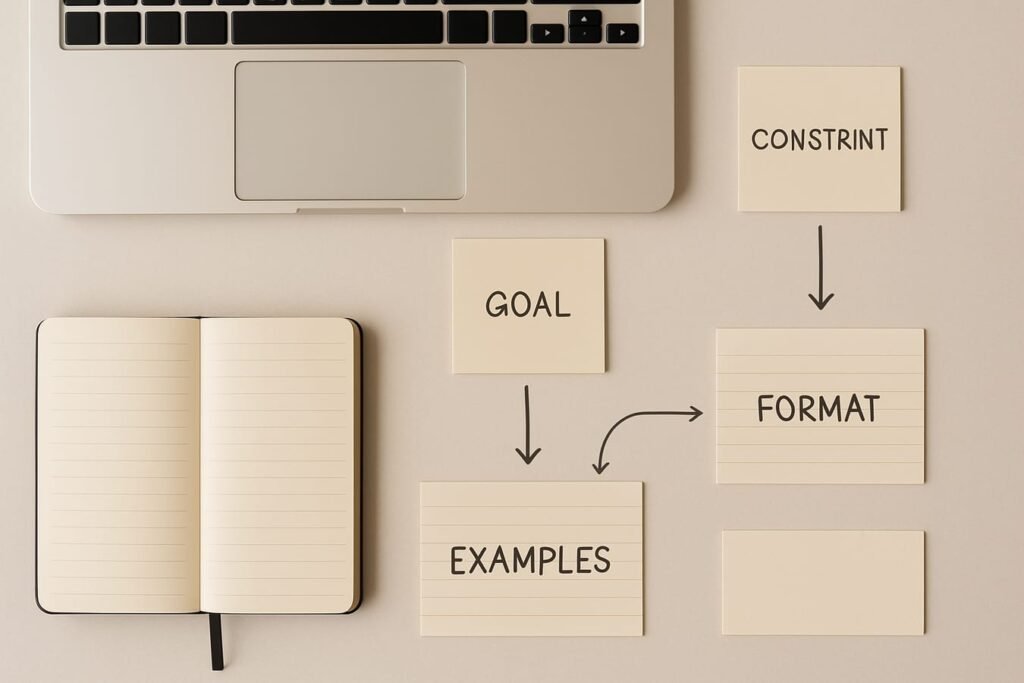
You don’t need all nine for every task, but you do need the right mix. Think in layers: start with the goal and output format, then add context, then add guardrails.
1) The job to be done (the outcome)
State the deliverable in plain language. Good prompts name the artifact: an email, a plan, a rubric, a list of options with trade-offs, a summary with action items. If the output is meant to be used immediately, say so.
- Strong: “Draft a 150-word follow-up email confirming next steps and deadlines.”
- Weak: “Help me write a professional email.”
2) The reader and the moment (audience + scenario)
ChatGPT writes differently when it knows who will read the text and in what context. “A busy CFO” signals a different register than “a curious beginner” or “a customer who is upset.”
- Who is it for?
- What do they already know?
- What do they care about (risk, time, price, evidence, empathy)?
3) Role and posture (optional, but powerful)
Role prompts can help the model choose the right defaults. Keep roles concrete and task-relevant—avoid grand titles that add fluff.
- Useful: “Act as an editor who improves clarity and removes hype.”
- Risky: “Act as the world’s best expert” (often inflates confidence without improving accuracy).
4) The inputs (what the model must use)
If you want the output to reflect specific facts, provide them. If you want it to reflect your voice, provide a sample paragraph. If you want it to reference a document, paste the excerpt and label it.
When inputs matter, add an explicit rule: “Use only the information provided below; if something is missing, ask clarifying questions.”
5) Constraints and boundaries (what to include and exclude)
Constraints are where prompt quality often jumps from “nice” to “usable.” They prevent the model from padding, guessing, or wandering into irrelevant territory.
- Length (words/sections), reading level, tone
- Scope limits (what not to cover)
- Compliance or safety boundaries (no medical/legal advice; encourage verification)
- House style rules (no exclamation points, no jargon, avoid buzzwords)
6) Output format (the packaging)
Format is a cheat code. If you define the structure, you dramatically reduce variability. Specify headings, bullet count, tables, or fields to fill.
- Example: “Return a table with columns: Option, Pros, Cons, Cost Range, Best For.”
- Example: “Use exactly 7 bullets, each under 14 words.”
7) Quality bar (acceptance criteria)
Vague quality demands (“make it engaging”) often backfire. Replace them with criteria you can check.
- “Include 3 concrete examples.”
- “Call out 2 risks and how to mitigate them.”
- “Avoid clichés and marketing hype.”
- “If you’re uncertain, label assumptions explicitly.”
8) Examples and counterexamples (few-shot guidance)
When you care about style, give the model something to imitate. One strong example can beat five paragraphs of explanation. Counterexamples (what you don’t want) are equally useful: they prevent the model from defaulting to common patterns.
9) Iteration instructions (what to do if it can’t comply)
High-quality prompts include a “fail gracefully” path. This is how you avoid hallucinated details and forced answers.
- “If required information is missing, ask up to 3 questions before drafting.”
- “If multiple approaches exist, present 2 options and recommend one.”
- “If you make assumptions, list them under ‘Assumptions.’”
Prompt red flags: what to fix first (and why it matters)
When a prompt underperforms, the culprit is usually predictable. Use these diagnostics to identify the smallest change that produces the biggest improvement.
Red flag: “Make it better” without a target
Fix: define what “better” means: shorter, more persuasive, clearer, more formal, more empathetic, more technical, more scannable. Add acceptance criteria.
Red flag: Too many goals in one pass
Fix: split the task: first generate an outline or options, then draft, then edit. Or prioritize: “Primary goal X; secondary goal Y only if it doesn’t harm X.”
Red flag: Missing inputs, but expecting specific facts
Fix: paste the relevant text, data, or bullet facts. If you can’t, instruct the model to ask questions rather than guessing.
Red flag: Conflicting constraints
Fix: choose the constraint that matters most. “Detailed” and “under 120 words” can coexist only if you define what detail means (e.g., “include 2 specifics, omit background”).
Red flag: No format guidance
Fix: specify the output container: bullets, steps, a table, or a template. A clear container reduces rambling.
Editorial callout: The 60-second prompt upgrade
Before you run a prompt, add three lines: (1) deliverable + audience, (2) constraints, (3) output format. This small “label” often eliminates 80% of vague output.
Before-and-after examples (with a buyer’s eye for specs)
These rewrites show how the same request changes once you add the missing components. Notice that the improved prompts don’t become long—they become specific.
Example 1: Writing (email)
Before: “Write a professional email to my client about the delay.”
After (high-quality prompt):
Task: Draft a client email announcing a 1-week project delay and confirming next steps.
Audience: Client contact is detail-oriented and cares about risk and timelines.
Context: Delay cause: vendor delivery slipped; our team can still deliver final by June 18. We completed milestones A and B; milestone C is now June 11.
Constraints: 140–180 words, calm and accountable tone, no excuses, no jargon, no exclamation points.
Output format: Subject line + email body. Include a 3-bullet “Next steps” section with dates.
Quality bar: Acknowledge impact, state revised timeline, offer a quick call option, and avoid blaming third parties.
Example 2: Summarization (meeting notes)
Before: “Summarize these notes.”
After (high-quality prompt):
Summarize the notes below for a team that wasn’t in the meeting.
Output format: (1) 5-bullet recap, (2) decisions, (3) open questions, (4) action items table with Owner + Due date.
Constraints: Use only the notes provided; if an owner or date is missing, write “TBD” (don’t guess). Keep the recap under 120 words.
Example 3: Analysis (choosing between options)
Before: “Which tool should I use for my newsletter?”
After (high-quality prompt):
Help me choose between Tool A, Tool B, and Tool C for a weekly newsletter.
My situation: 3,000 subscribers, sends weekly, needs basic automation, must be easy to use, budget $50–$120/month.
Decision criteria: deliverability controls, automation flexibility, template/editor usability, analytics clarity, migration effort, total cost.
Output format: Comparison table + a ranked recommendation (1–3) with one-paragraph rationale for each.
Quality bar: Call out at least 2 risks (e.g., lock-in, hidden fees) and how to reduce them. If you’re unsure about a feature, state uncertainty and suggest what to verify.
A practical checklist: what to check before you “buy” a prompt
Use this as a quick pre-flight list. If you can’t check an item, decide whether it truly matters—then either add it or accept the trade-off.
- Outcome: Did I name the deliverable (email, outline, plan, table, script) and the main objective?
- Audience: Did I specify who will read/use this and the context they’re in?
- Inputs: Did I provide the facts, excerpts, examples, or data the answer must be based on?
- Boundaries: Did I state what not to do (no guessing, no medical/legal advice, avoid certain claims)?
- Constraints: Did I set length, tone, and scope limits that match the use case?
- Format: Did I define headings, bullet counts, or a table structure?
- Acceptance criteria: Did I define what “good” means in observable terms?
- Failure mode: Did I instruct it to ask questions or list assumptions when info is missing?
- Review plan: Do I know what I’ll verify (facts, math, names, dates, sources)?
Prompt components at a glance (what to include for common tasks)
| Task type | Must-have components | Nice-to-have | Typical mistake |
|---|---|---|---|
| Writing (emails, posts) | Audience, tone, length, format | Style sample, banned phrases | Asking for “professional” without specifics |
| Summaries | Source text, constraints, output sections | Action items table | Not telling it what to extract |
| Decisions (tool choice) | Criteria, priorities, budget, output table | Risk callouts, verification steps | Forgetting to state constraints (time/cost) |
| Brainstorming | Goal, audience, category constraints | Scoring rubric for ideas | Unlimited scope → generic ideas |
Where to find strong starting points (and how to adapt them)
If you prefer working from proven structures, start with a template and customize the inputs, constraints, and acceptance criteria. A good template is a skeleton; your situation supplies the muscle. For writing-heavy workflows, browse these content writing prompts and treat them like baseline specs—then tighten them with the scorecard above.
FAQ
How long should a high-quality ChatGPT prompt be?
Long enough to prevent avoidable mistakes. For many everyday tasks, 6–10 lines is plenty if those lines include the goal, audience, constraints, and format. Prompts get long when you’re missing inputs (and trying to compensate with vague instructions) or when the task truly has many requirements.
Do I need to tell ChatGPT to “act as” a role?
Not always. Role language helps most when it changes defaults—like asking for an “editor” who removes hype, or a “project manager” who produces a plan with milestones. If the role encourages overconfidence (“world-class expert”), it can make the response sound authoritative without being more reliable.
What’s the best way to stop hallucinations or made-up details?
You can’t eliminate them entirely, but you can reduce them by (1) providing the facts and source text, (2) instructing the model not to guess, (3) requiring an “Assumptions” section when information is missing, and (4) adding a verification step: names, dates, numbers, and citations should be checked against trusted sources.
Should I ask for citations in my prompt?
Ask for citations when the information needs to be verifiable, but be explicit about what you mean: citations from provided sources, or suggestions of sources to check. If you don’t provide sources, request that it flags uncertain claims and recommends what to verify rather than inventing references.
Why does the same prompt sometimes produce different answers?
Generative models can vary in phrasing and emphasis between runs, especially when the prompt leaves room for interpretation. Tighten variability by specifying a format, adding constraints, and defining acceptance criteria. For critical work, run two drafts and choose the better structure—then ask for a revision of that draft using your criteria.
What’s one change that improves prompts immediately?
Add a strict output format. When you tell the model exactly how to package the answer (headings, bullets, tables, fields), you remove ambiguity and make the result easier to evaluate and revise.
Next step: Copy the scorecard into a note, rate your next prompt in under a minute, then revise only the lowest-scoring criterion. That small habit is how prompts become consistently high-quality—without becoming painfully long.