Most “bad AI results” aren’t actually a model problem—they’re a request problem. If you ask for something vague, the AI has to guess your goal, your audience, your constraints, and what “good” looks like. Prompt engineering is the skill of removing that guesswork.
Think of it like ordering coffee. “Coffee, please” might get you something drinkable, but “12 oz iced latte, oat milk, half-sweet” gets you what you meant. Prompt engineering does the same for AI: you specify the details that shape a useful output.
What is prompt engineering (in plain English)?
Prompt engineering is the practice of writing instructions (prompts) that help an AI system produce the most relevant, accurate, and usable response for your situation. It’s part writing, part critical thinking, and part quality control.
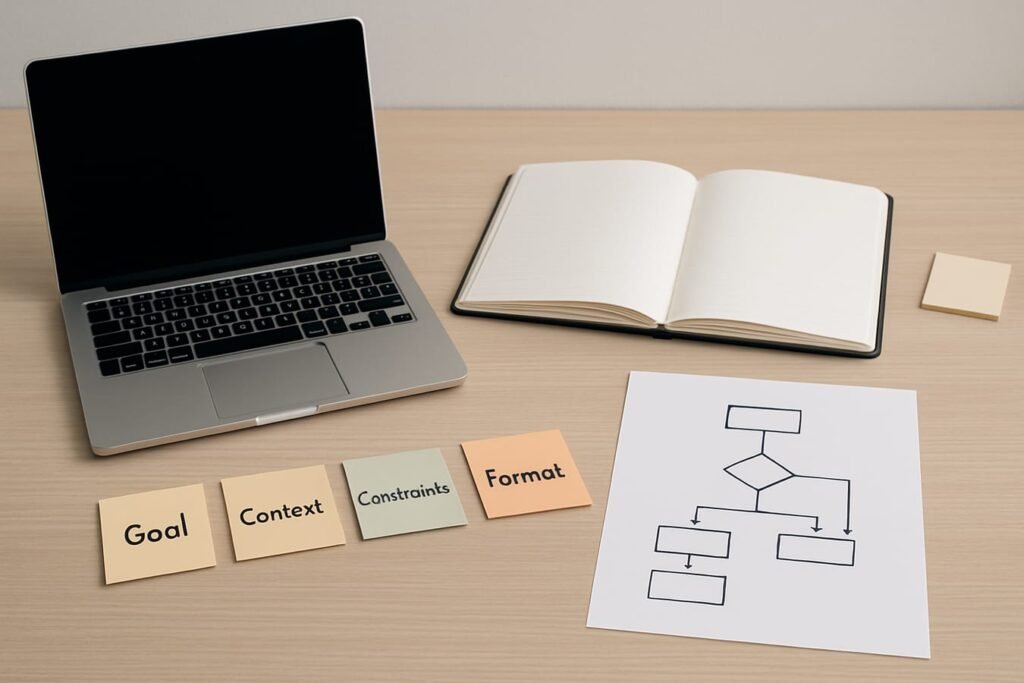
A good prompt doesn’t need fancy jargon. It needs:
- A clear outcome (what you want)
- Enough context (what the AI should assume)
- Constraints (what to avoid, what to prioritize, what format to use)
- Verification cues (how to check or cite, where uncertainty is allowed)
Why prompt engineering matters (even for casual users)
If you only use AI occasionally—drafting an email, summarizing notes, brainstorming a name—prompt engineering still pays off because it reduces three common headaches:
- Generic output: the answer sounds fine but says nothing specific.
- Wrong assumptions: the AI picks an audience, tone, or facts you didn’t intend.
- Inconsistent quality: one prompt works today, the next doesn’t—because you’re relying on luck.
Prompt engineering turns “try again” loops into a repeatable process. You’ll spend less time rephrasing and more time editing a solid first draft.
The building blocks of a strong prompt
You can create surprisingly reliable prompts by combining five pieces. Not every prompt needs all five, but this is the most practical baseline for beginners.
1) Role (optional, but useful)
A role sets perspective and standards. It’s not magic; it’s a shortcut for tone and priorities.
- “Act as a copy editor…”
- “You are a project manager…”
- “Think like a helpful tutor…”
2) Goal (what “done” looks like)
State the deliverable with a concrete endpoint.
- Bad: “Help me with my resume.”
- Better: “Rewrite my resume summary to target an entry-level data analyst role; keep it under 70 words.”
3) Context (the information you wish the AI already knew)
Context includes audience, background, and any constraints that change the answer. Add just enough to prevent wrong guesses.
- Audience: hiring manager, customer, student, internal team
- Situation: what happened, what you already tried, what’s missing
- Preferences: tone, reading level, region (en-US), industry
4) Constraints (boundaries, rules, and “don’ts”)
Constraints are often the difference between “interesting” and “usable.” Common constraints include:
- Length limits (word count, bullet count)
- Style rules (friendly but professional, no jargon, avoid clichés)
- Content exclusions (no medical advice, no legal claims, don’t invent sources)
- Tools/format (Google Docs headings, a table, a checklist)
5) Output format (so you can paste it where it needs to go)
Specify structure. If you want a table, say so. If you want a numbered plan, say so. If you want two versions, ask for them explicitly.
A simple beginner framework: CRISP
If you want one repeatable pattern, use CRISP:
- Context: what’s going on and who it’s for
- Role: the expert lens (optional)
- Intent: the exact deliverable
- Specs: constraints, inclusions/exclusions, tone
- Presentation: formatting requirements
This works because it mirrors how a good brief is written—clear, bounded, and easy to evaluate.
Prompt styles: which one fits your situation?
Different tasks benefit from different prompt “shapes.” Use the table below to pick a style that matches the moment—like choosing the right tool from a kitchen drawer.
| Scenario | Best prompt style | What you include | Best for |
|---|---|---|---|
| Quick rewrite (email, bio, message) | Before/After + tone constraints | Your draft, audience, tone, length | Fast, polished writing |
| Research summary (article, report, meeting notes) | Structured summary request | Source text, key questions, desired headings | Clear synthesis without rambling |
| Decision help (buying, choosing tools, prioritizing) | Criteria-first comparison | Budget, must-haves, deal-breakers, scoring rubric | Actionable recommendations |
| Learning (concepts, skills, exam prep) | Tutor-style, step-by-step | Your level, what confuses you, practice questions | Understanding + retention |
| Creative ideation (names, concepts, angles) | Constraint-led brainstorming | Theme, vibe, examples you like, “avoid” list | Variety that still fits your taste |
Examples: turning vague prompts into useful prompts
Prompt engineering becomes obvious when you see how small additions change the output quality. Here are a few “upgrade” patterns you can reuse.
Example 1: A better email rewrite
- Vague: “Rewrite this email to sound better.”
- Engineered: “Rewrite the email below for a busy director. Keep it friendly, direct, and under 130 words. Preserve all dates and action items. Give me 2 options: one neutral, one warmer.”
Example 2: Meeting notes you can actually use
- Vague: “Summarize these notes.”
- Engineered: “Turn these notes into: (1) decisions made, (2) open questions, (3) action items with owner + due date fields. If an owner isn’t stated, write ‘TBD’—don’t guess.”
Example 3: A local-detail weekend plan (without the fluff)
Even for something lightweight like planning a weekend, structure beats “make me an itinerary.”
- Vague: “Plan a weekend in Seattle.”
- Engineered: “Plan a 2-day Seattle itinerary for early October. Assume we’re staying near Pike Place Market and won’t have a car. Prioritize neighborhoods we can reach by light rail or short rideshare. Include: coffee stop, indoor backup for rain, one viewpoint, and two dinner suggestions (one casual, one nicer). Keep each stop to 1–2 sentences with estimated travel time between areas.”
The iteration loop: how to refine prompts without spiraling
Beginners often think prompt engineering means writing one perfect prompt. In reality, it’s closer to editing: you steer, check, and tighten. Use this simple loop:
- Start specific: goal + format + constraints.
- Scan for misses: wrong tone, missing sections, questionable claims.
- Patch the prompt: add a constraint or example, remove ambiguity.
- Ask for a revision: “Revise based on these three changes…”
A practical trick: don’t rewrite the whole prompt every time. Add one sentence that corrects the failure mode you just saw (for example: “Don’t invent statistics; if unsure, say what you’d need to confirm.”).
Editorial callout: When the output is “almost right,” resist the urge to say “make it better.” Name the exact issue—too long, too salesy, missing steps, unclear assumptions—and the AI will usually correct faster than you can by rephrasing from scratch.
Common prompt engineering mistakes (and quick fixes)
1) Asking for “everything”
Prompts like “Tell me everything about…” invite bloated, shallow answers. Instead, ask for a specific deliverable: a checklist, a shortlist, a ranked comparison, or a 5-step plan.
2) Forgetting the audience
A “good” answer for a teammate is different from a “good” answer for a customer. Add one line: “Audience: non-technical small business owner” or “Audience: internal engineering team”.
3) Letting the AI guess facts
If you don’t provide key details (dates, budgets, product names, location, scope), the model may fill gaps. When accuracy matters, instruct it to flag missing inputs instead of guessing.
4) No constraints, no consistency
Without guardrails, you’ll get shifting tone and structure. Constraints create predictable outputs you can reuse week after week.
Quality control: how to keep AI useful (and honest)
Prompt engineering isn’t just about better prose; it’s also about safer, more reliable outputs.
- Separate facts from suggestions: ask for “what’s known” vs. “options to consider.”
- Request uncertainty explicitly: “If you’re not confident, say so and explain what to verify.”
- Ask for sources when appropriate: for claims, statistics, or quotes (and still verify independently).
- Protect sensitive data: avoid sharing confidential client details, private personal info, passwords, or proprietary documents unless you’re sure about your tool’s privacy controls.
A practical checklist you can copy into your next prompt
- Deliverable: What do I want back (email, outline, table, script, plan)?
- Audience: Who will read or use it?
- Context: What background changes the answer?
- Constraints: Length, tone, “must include,” “must avoid.”
- Format: Headings, bullets, table columns, steps.
- Accuracy rule: Don’t guess; flag unknowns; cite sources if needed.
- Revision rule: Provide 2 versions or propose improvements first, then rewrite.
Where to go next once the basics click
Once you’re comfortable with structured prompts, the next leap is learning more advanced patterns—like multi-step prompting, critique-and-rewrite loops, and using examples strategically without boxing the model in. If you want to keep building, browse these advanced prompting techniques and pick one method to practice for a week.
FAQ
Is prompt engineering a coding skill?
No. It can be technical in developer settings, but for most people it’s a communication skill: writing clearer instructions and defining what “good output” means. You’ll get better through practice, not programming.
Do I need to use special keywords to get better results?
Usually not. Clear constraints and the right format matter more than buzzwords. A short, well-structured prompt often beats a long prompt stuffed with trendy terms.
Why does the AI sometimes sound confident but be wrong?
AI models can produce plausible text even when they’re uncertain. That’s why it helps to add accuracy rules (“don’t guess,” “flag unknowns,” “separate facts from assumptions”) and to verify important details with reliable sources.
How long should a prompt be?
Long enough to remove ambiguity, short enough to stay readable. A good rule: provide the minimum context that prevents wrong assumptions, then add constraints and the desired format. If you’re past a few paragraphs, consider using bullets and labeled sections.
What’s the fastest way to improve as a beginner?
Build a small library of prompts you reuse: one for rewriting, one for summarizing, one for planning, one for comparing options. Each time you revise a prompt, save the improved version. After a month, you’ll have your own playbook.
برای مطالعه بیشتر، Uncategorized را ببینید.