Most “bad AI output” problems aren’t model problems—they’re briefing problems. If you ask for a blog post about X, you’ll get something broad, cautious, and forgettable. If you brief the model the way you’d brief a capable colleague—audience, angle, constraints, and what “done” looks like—you’ll get work you can actually ship.
This guide is built as a step-by-step planner. Each phase includes prompt engineering examples you can copy, plus small upgrades that move results from “fine” to “publishable.” Use the prompts as templates, not magic spells: swap in your specifics and keep the constraints.
Phase 1: Set the outcome (before you write a single prompt)
Start by deciding what you want the model to produce and how you’ll judge whether it worked. This single step prevents the most common failure: a helpful-sounding answer that doesn’t fit your real task.
Define success in one sentence
- Deliverable: outline, draft, title set, keyword map, meeting agenda, email reply, etc.
- Audience: who it’s for and what they already know.
- Constraints: length, tone, reading level, brand rules, required sections.
- Evidence rules: use only provided sources, cite, or flag uncertainty.
Prompt template: outcome + constraints
Copy/paste:
Task: Create a [deliverable] about [topic] for [audience].
Goal: The reader should [do/understand/decide] by the end.
Constraints: [tone], [length], include [must-have sections], avoid [taboos].
Quality bar: prioritize [originality/specificity/actions], avoid [fluff/generic claims].
Sources: if you’re unsure of facts, ask clarifying questions or label assumptions.
Phase 2: Feed the model the right context (so it stops guessing)
Generic prompts force the model to fill gaps with generalities. Context is how you replace guesswork with relevance.
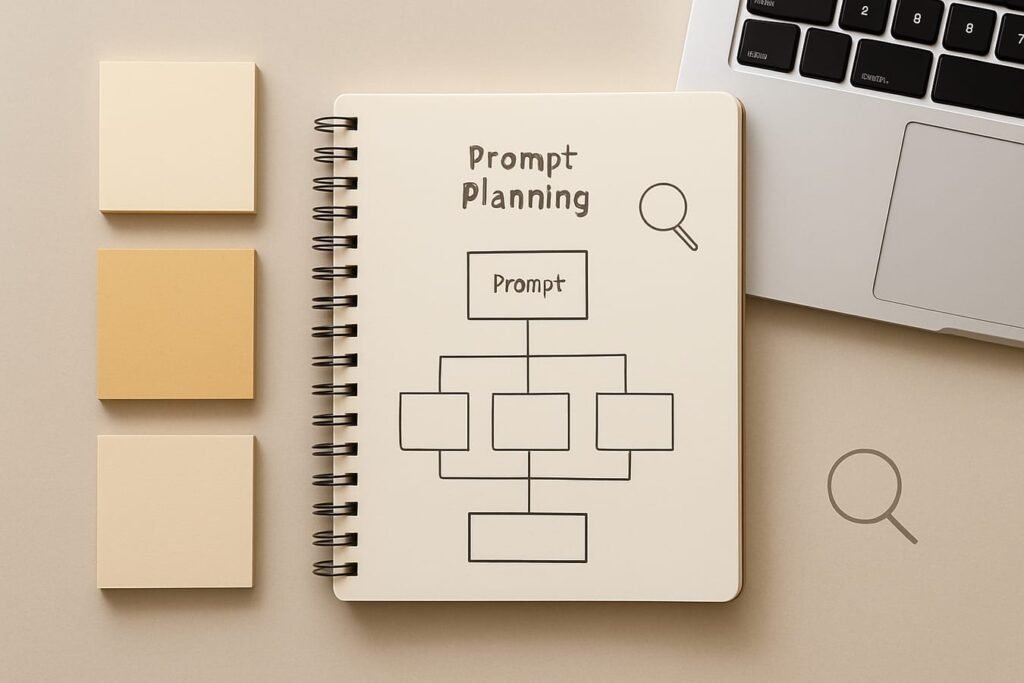
Context checklist (add only what matters)
- What you’re making: blog post, landing page, LinkedIn post, content brief, etc.
- Angle: the distinctive point of view (e.g., “step-by-step planner,” “budget-first,” “beginner-friendly”).
- Inputs: notes, messy bullet points, product details, a transcript, competitor URLs, keyword list.
- Non-negotiables: claims you won’t make, words you won’t use, topics you must include.
Prompt template: context pack
Here’s the context you must use:
– Product/service/topic: [details]
– Audience: [who + pain points]
– Voice: [3 adjectives] + “do/don’t” examples
– Must include: [bullets]
– Must avoid: [bullets]
– Reference notes: [paste notes]
Editorial callout: Constraints beat cleverness. A plain prompt with a clear structure (role + task + context + format + limits) usually outperforms a “creative” prompt with vague goals.
Phase 3: Choose a prompt format that matches the job
Different tasks need different formats. Planning prompts should ask for options and tradeoffs. Drafting prompts should lock structure. Editing prompts should demand specific fixes.
| Job | Best prompt style | What you ask for | Common mistake |
|---|---|---|---|
| Brainstorming | Options + filters | 10 ideas ranked by fit, each with a one-line rationale | Asking for “ideas” with no audience or goal |
| Outlining | Structured outline | H2/H3 outline with section purpose and key bullets | Skipping search intent and reader stage |
| Drafting | Section-by-section | Write only Section 2 with examples and a checklist | Requesting a full draft in one shot |
| Editing | Critique + rewrite | Find 8 weak spots, then rewrite paragraph 3–5 | “Improve this” with no definition of better |
| SEO refinement | On-page QA | Title/meta variants, intent alignment, internal link suggestions | Keyword stuffing or ignoring readability |
Phase 4: Content prompts you can use today
Content work is easiest when you split it into three passes: plan, draft, polish. Below are examples for each pass.
Example 1: Generate a strong outline (not a vague TOC)
Prompt:
Act as a senior editor. Create a detailed outline for an article titled “[title].”
Audience: [audience].
Angle: [angle].
Requirements: use H2/H3 hierarchy, include a comparison table, a practical checklist, and an FAQ.
For each H2, add: the reader question it answers, 3–5 bullet points to cover, and one concrete example to include.
Keep it actionable and non-generic.
Example 2: Write a section in a specific voice
Prompt:
Write only the section “[H2 heading]” (600–800 words). Tone: professional, warm, and direct. Use short paragraphs.
Include:
– one mini-example with numbers or specifics,
– one short list,
– one sentence that cautions against a common mistake.
Avoid: buzzwords, clichés, and long preambles.
Example 3: Rewrite for clarity without changing meaning
Prompt:
Rewrite the text below for clarity and flow. Keep meaning and facts identical. Aim for 8th–10th grade readability. Remove filler and repeated words.
Output two versions:
A) concise
B) slightly more conversational
Text: [paste paragraph]
Example 4: Turn notes into a publishable draft (with guardrails)
Prompt:
You are turning messy notes into a clean article section. Use only the information in the notes; if something is missing, add a “Need to confirm:” bullet.
Deliverable: [section type].
Notes: [paste notes].
Output: a well-structured section with headings, then a short list of “questions to ask the stakeholder.”
Phase 5: SEO prompts that improve relevance (without turning the writing robotic)
SEO-friendly prompting is mostly about intent, coverage, and presentation. The model can help you map keywords to sections, spot gaps, and tighten titles—if you ask it to behave like an editor, not a keyword generator.
Example 5: Match keyword to search intent and content type
Prompt:
Given the keyword “[keyword]”, analyze likely search intent (informational/commercial/transactional/navigational). Suggest:
– the best content type (guide, list, comparison, template, tutorial),
– 5 subtopics users expect,
– 3 “pain point” angles,
– 5 questions to answer in an FAQ.
Keep suggestions practical and aligned to a general audience.
Example 6: Build a keyword-to-section map (quick content brief)
Prompt:
Create an on-page SEO map for an article about “[topic]”.
Primary keyword: [primary]. Secondary keywords: [list].
Output a table with columns: Keyword, Search intent, Best section placement (H2/H3), Suggested phrasing (natural), and Notes (examples to include).
Rules: prioritize readability; no keyword stuffing; use variations naturally.
Example 7: Title + meta description variants that sound human
Prompt:
Write 12 SEO-friendly titles for an article about [topic].
Constraints: 50–60 characters when possible; avoid clickbait.
Then write 6 meta descriptions (120–160 characters) that emphasize outcome and specificity.
Include 2 “how-to” options and 2 “template” options.
Example 8: Internal link opportunities (without random suggestions)
Prompt:
I’m publishing an article about [topic]. Here are existing site categories/pages: [paste list].
Suggest 3 internal links that are contextually natural, and for each:
– where it fits (which section),
– the exact anchor text (2–5 words),
– a one-sentence reason it helps the reader.
Avoid forced or generic anchors like “click here.”
If your work sits inside broader marketing workflows, you’ll find more complementary ideas under AI for Marketing.
Phase 6: Productivity prompts that save time (and reduce mental load)
Productivity prompting works best when you treat the model as a clarifier: it should reduce ambiguity, surface next actions, and create clean drafts you can quickly approve or edit.
Example 9: Turn a messy to-do list into a plan you can follow
Prompt:
Take the tasks below and create a 5-day plan.
Constraints: 90 minutes/day deep work + 30 minutes/day admin.
Output:
1) priorities (must/should/could),
2) a day-by-day schedule with time blocks,
3) dependencies and what to do first,
4) a “parking lot” for tasks to postpone.
Tasks: [paste list]
Example 10: Meeting agenda + decision framing
Prompt:
Create a 30-minute meeting agenda for [topic].
Participants: [roles].
Goal: make a decision on [decision].
Include:
– pre-read (3 bullets),
– agenda with timestamps,
– the decision options to compare,
– what “we will decide today” means,
– follow-ups and owners template.
Example 11: Draft an email that’s firm but not rude
Prompt:
Write an email reply that is clear, respectful, and firm.
Context: [situation].
What I can do: [yes items]. What I can’t do: [no items].
Tone: professional, calm, no lecturing.
Length: 120–170 words.
Include one sentence that proposes next steps.
Phase 7: The refinement loop (where prompt engineering actually pays off)
One-and-done prompting is a gamble. A short refinement loop is more reliable—and usually faster than wrestling with a mediocre draft.
A simple 3-pass workflow
- Pass 1 (structure): outline and section goals. Don’t draft yet.
- Pass 2 (substance): write sections with examples, constraints, and required elements.
- Pass 3 (quality control): tighten language, check logic, and flag unverifiable claims.
Process table: a practical prompt timeline
| Phase | What you provide | What you ask the model to deliver | Time (typical) |
|---|---|---|---|
| Plan | Title, audience, goal, constraints | Outline with section purpose + examples | 10–15 min |
| Draft | Outline + notes + voice rules | Section-by-section drafts | 30–60 min |
| SEO pass | Primary/secondary keywords | Title/meta variants + gap analysis | 10–20 min |
| QA | Draft + must-avoid list | Risk flags, unclear claims, rewrite targets | 10–20 min |
| Finalize | Your edits + final constraints | Polished version + summary/checklist | 10–15 min |
QA prompt: make the model critique like an editor
Prompt:
Critique the draft below like a strict editor.
Output:
1) 10 issues ranked by severity (specificity, accuracy risk, fluff, structure, repetition),
2) 5 sentences that should be rewritten (quote them),
3) 5 additions that would make it more useful (examples, numbers, edge cases),
4) a revised version of the weakest section.
Draft: [paste text]
Phase 8: Practical checklist (keep this next to your prompt box)
- Did I define the deliverable? (outline, draft, titles, plan, email)
- Did I name the audience and their stakes? (what they care about, what they already know)
- Did I add constraints that matter? (length, tone, must-include, must-avoid)
- Did I request a format? (H2/H3, table, bullets, steps, FAQ)
- Did I ask for examples? (mini case, numbers, before/after, edge cases)
- Did I set truth rules? (cite sources, flag uncertainty, don’t invent)
- Did I split the work? (plan → draft → edit, not one giant prompt)
- Did I run a QA pass? (weak claims, repetition, missing steps)
FAQ
What’s the single most important element in a good prompt?
Clear constraints. “Write a blog post” is vague; “write a 900-word section for beginners, include a checklist and two examples, avoid hype” is usable. Constraints steer tone, depth, and structure.
Should I always assign the model a role (like “act as an SEO expert”)?
Roles help when they clarify priorities (editor vs. salesperson vs. analyst). They don’t replace real context. If the role line is the only specific detail, you’ll still get generic output.
How do I stop the model from making up facts?
Give it sources or tell it to use only provided notes. Add an instruction to label uncertainty (for example, “If you’re not sure, write ‘Need to confirm’”). Then run a QA prompt focused on accuracy risk.
Is it better to ask for a full article or build it in parts?
Parts are usually better. Outlines and section-by-section drafting reduce drift, make edits easier, and keep quality higher. Full-article prompts can work for quick drafts, but they’re harder to control.
Do SEO prompts replace keyword research?
No. They can help you interpret intent, organize topics, and write cleaner titles/meta descriptions, but you still need real inputs—keywords, audience insights, and performance data—to make smart SEO decisions.
How do I build a personal prompt library without overcomplicating it?
Save 10–15 prompts you actually reuse: one for outlines, one for section drafting, one for rewrites, one for SEO mapping, one for QA, plus a couple for emails and planning. Keep them as fill-in-the-blank templates and update them when you notice repeat failures.